Dein Auftrag
Ersetze die Klammern durch deine Inhalte; optionale Angaben kannst du weglassen.
/ring-carousel-lineup
Brand name = 〔Brand name — max. 22 Zeichen〕
Website = 〔Website — max. 28 Zeichen — optional〕
Kurze Zeile oben = 〔Kurze Zeile oben — max. 35 Zeichen — optional〕
Collection title = 〔Collection title — max. 40 Zeichen〕
Featured product name = 〔Featured product name — max. 26 Zeichen〕
Featured product price = 〔Featured product price — max. 10 Zeichen〕
Farbe = 〔Farbe — noir (near-black, gold) / pearl (light warm grey, bronze) / plum (deep plum, rose) / ocean (deep teal, aqua) — optional〕
Markenfarbe = 〔Markenfarbe — optional〕
Video shape = 〔Video shape — landscape 16:9 (YouTube, screens) / vertical 9:16 (Reels, Shorts, TikTok) / 4:3 / vertical 3:4 (feed posts) — optional〕
Product photo 1 = 〔Product photo 1〕
Product photo 2 = 〔Product photo 2〕
Product photo 3 = 〔Product photo 3〕
Product photo 4 = 〔Product photo 4〕
Product photo 5 = 〔Product photo 5〕
Product photo 6 = 〔Product photo 6〕
Product photo 7 = 〔Product photo 7 — optional〕
Product photo 8 = 〔Product photo 8 — optional〕
Videoauflösung = 〔Videoauflösung — 1080p / 4K — optional〕
Unsicher? Sag: Zeig mir zuerst ein Beispiel
Beispiel
/ring-carousel-lineup
Brand name = Saltmere
Website = saltmere.co
Kurze Zeile oben = Eau de parfum · Eight scents
Collection title = The Bloom Collection
Featured product name = Amber Nocturne
Featured product price = $128
Farbe = noir-showroom
Markenfarbe = #1E3A8A
Video shape = 16:9
Product photo 1 = the sample perfume photo in the pack
Product photo 2 = the sample perfume photo in the pack
Product photo 3 = the sample perfume photo in the pack
Product photo 4 = the sample perfume photo in the pack
Product photo 5 = the sample perfume photo in the pack
Product photo 6 = the sample perfume photo in the pack
Product photo 7 = the sample perfume photo in the pack
Product photo 8 = the sample perfume photo in the pack
Videoauflösung = 4K
3D-Produktkarussell
Ein 11-Sekunden-Clip: Sechs bis acht Produktfotos bilden auf glänzendem Boden einen 3D-Ring mit Spiegelungen, drehen sich einmal ganz und halten bei deinem Hauptprodukt, das ins Scheinwerferlicht steigt, während Kollektion, Name und Preis erscheinen. Fotos, Stopp, Text, Palette oder Markenfarbe ändern und 16:9, 9:16, 4:3 oder 3:4 in 4K lokal rendern.
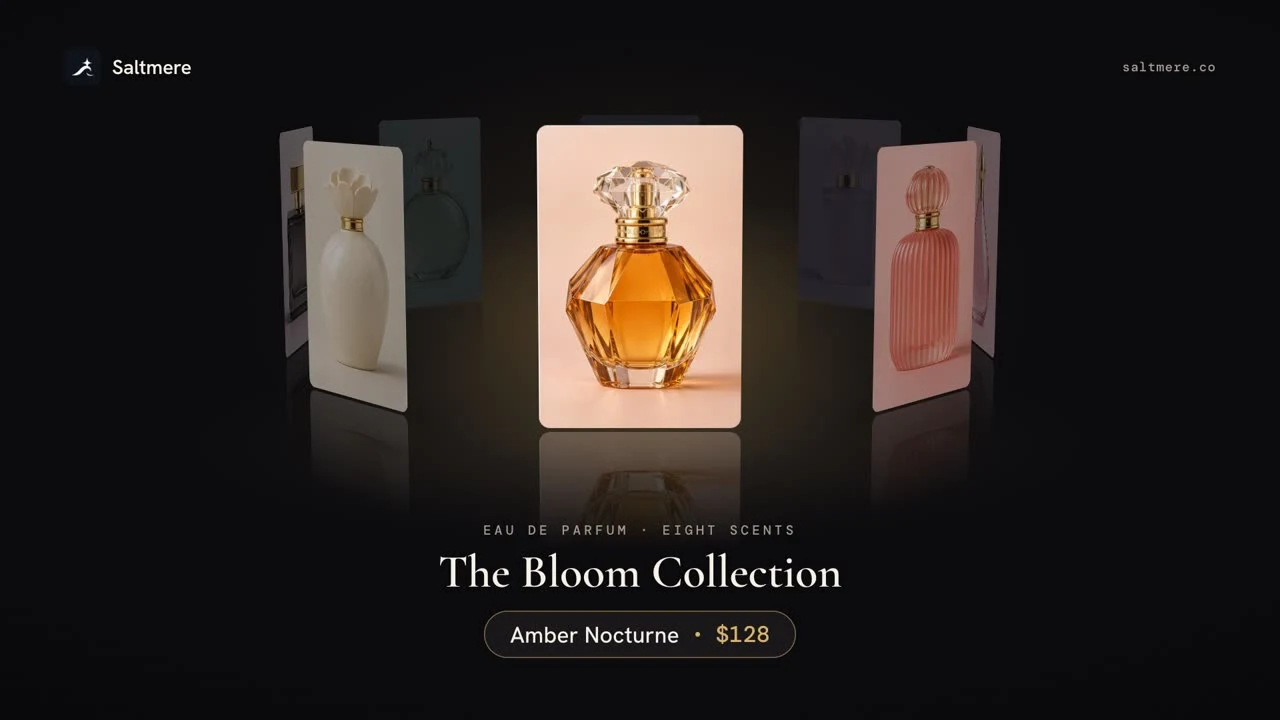
So funktioniert es
- Skill installieren · Installationsanleitungen
- Anfrage ausführen ·
/ring-carousel-lineup - Ergebnis prüfen
Prüfe den Ablauf in SKILL.md und nutze die mitgelieferten Befehle.
node -vnode scripts/check-setup.mjsnode scripts/create.mjs --out ./demonode scripts/render.mjs ./demo --output ./demo.mp4node scripts/studio.mjs --out .node scripts/render.mjs ./my-scene --check
Arbeitsordner
references/check.jsonreferences/defaults.jsonreferences/fill-in.jsonreferences/layout-rules.jsonreferences/studio.htmlreferences/project/index.htmlreferences/studio/shell.htmlscripts/check-output.mjs
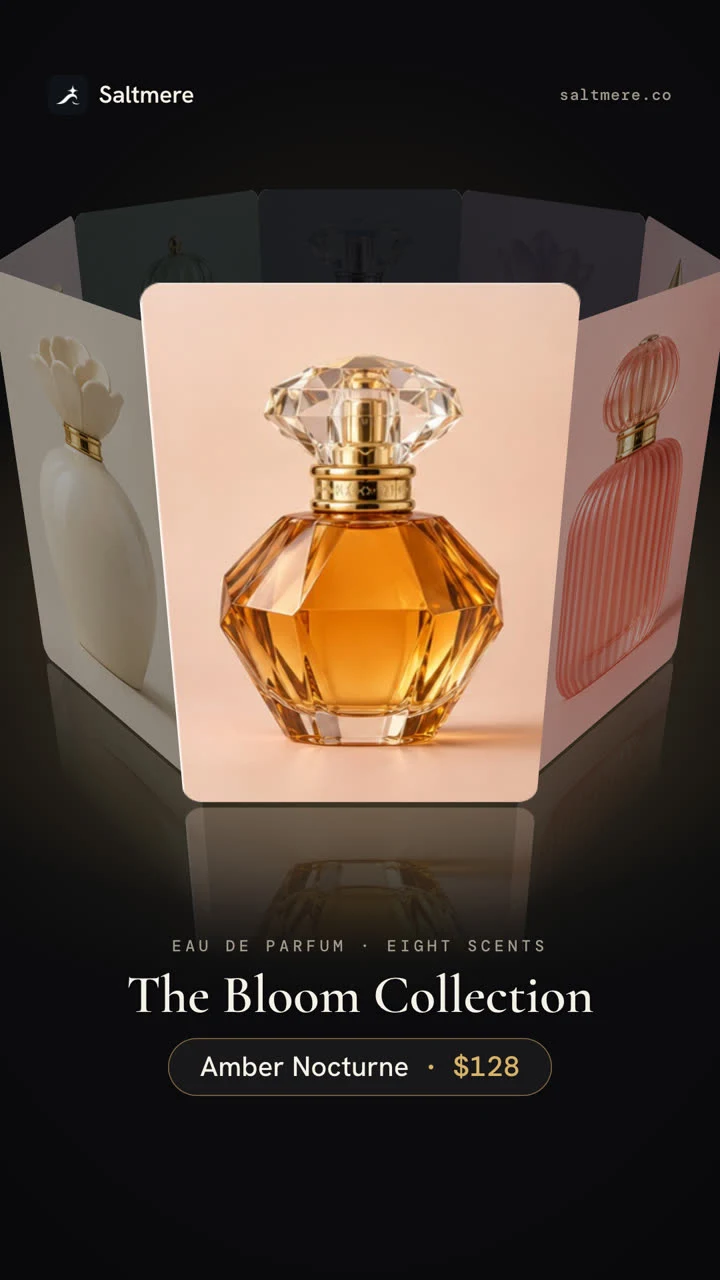
Das ist enthalten
- 11 Sekunden Kollektion als drehender 3D-Ring, als 4K-MP4 in vier Formaten (16:9 / 9:16 / 4:3 / 3:4)
- Auswahl von 6–8 Produkten und des Produkts, bei dem der Ring stoppt; vier Paletten und Markenfarbe
- Bearbeitbare Szene, lokales Studio und automatische Prüfung von Text und Layout
Voraussetzungen
- Erforderlich · Node.js 22 oder neuer
- Erforderlich · Google Chrome, Chromium oder Microsoft Edge
- Erforderlich · FFmpeg
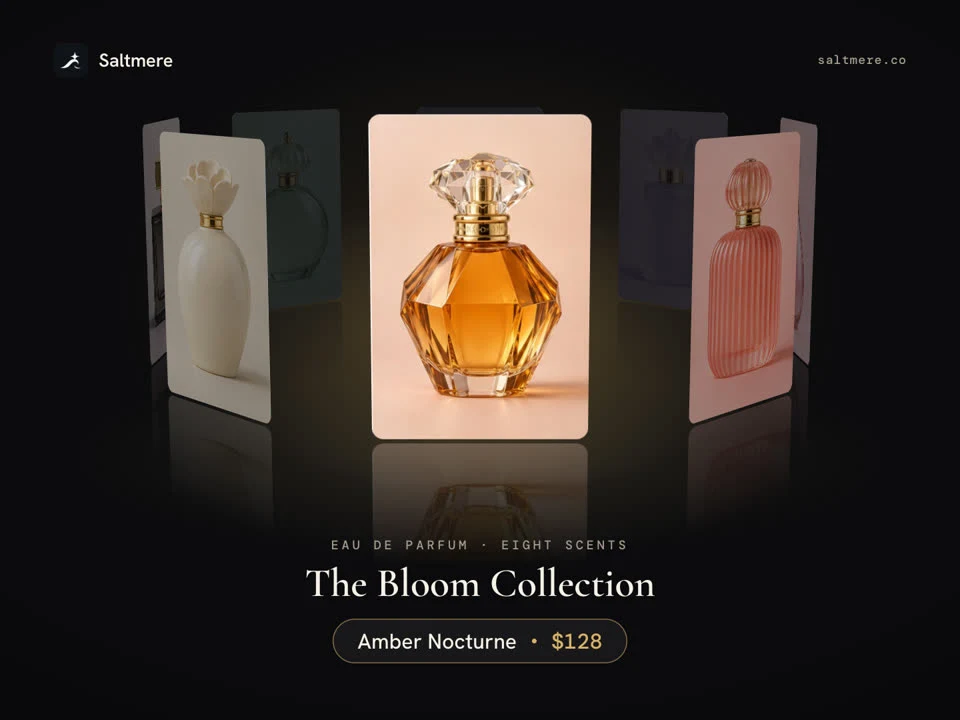
Tipps
Deine Kollektion als 3D-Showroom-Ring, der sich einmal dreht und beim gewählten Produkt hält.
Erstelle eine 9:16-Version für Reels in meiner Markenfarbe.
Verwende meine Texte und Bilder und behalte den ursprünglichen Rhythmus.
Bevor du beginnst
| Du stellst bereit |
|
|---|---|
| Abhängigkeiten |
|
| Externe Kosten | Keine externen Dienstkosten |
| Zuletzt aktualisiert | v1.0.1 · |
Der Umfang richtet sich nach dem mitgelieferten Ablauf.



























































































