你的提示詞
將括號內的文字換成你的內容;選填項目可以省略。
/ux-decision-redline
Object type = 〔Object type — 最多 63 個字元〕
Record name = 〔Record name — 最多 14 個字元〕
Decision 1 name = 〔Decision 1 name — 最多 22 個字元〕
Decision 1 problem = 〔Decision 1 problem — 最多 90 個字元〕
Decision 1 change = 〔Decision 1 change — 最多 89 個字元〕
Decision 2 name = 〔Decision 2 name — 最多 24 個字元〕
Decision 2 problem = 〔Decision 2 problem — 最多 87 個字元〕
Decision 2 change = 〔Decision 2 change — 最多 88 個字元〕
Decision 3 name = 〔Decision 3 name — 最多 21 個字元〕
Decision 3 problem = 〔Decision 3 problem — 最多 91 個字元〕
Decision 3 change = 〔Decision 3 change — 最多 86 個字元〕
Decision 4 name = 〔Decision 4 name — 最多 24 個字元〕
Decision 4 problem = 〔Decision 4 problem — 最多 90 個字元〕
Decision 4 change = 〔Decision 4 change — 最多 88 個字元〕
Decision 5 name = 〔Decision 5 name — 最多 25 個字元〕
Decision 5 problem = 〔Decision 5 problem — 最多 82 個字元〕
Decision 5 change = 〔Decision 5 change — 最多 84 個字元〕
顏色 = 〔顏色 — blueprint (gray, cyan) / 深藍 / redline (paper, red) — 選填〕
品牌色 = 〔品牌色 — 選填〕
影片解析度 = 〔影片解析度 — 1440x1080 / 4K (2880x2160) — 選填〕
不知道怎麼填?可以說:先做一個範例給我看
範例
/ux-decision-redline
Object type = Accounts
Record name = Fernhill
Decision 1 name = One clear action
Decision 1 problem = Six buttons, all equally loud. Most days you only send email.
Decision 1 change = Send email stays up front. Everything else folds into the menu.
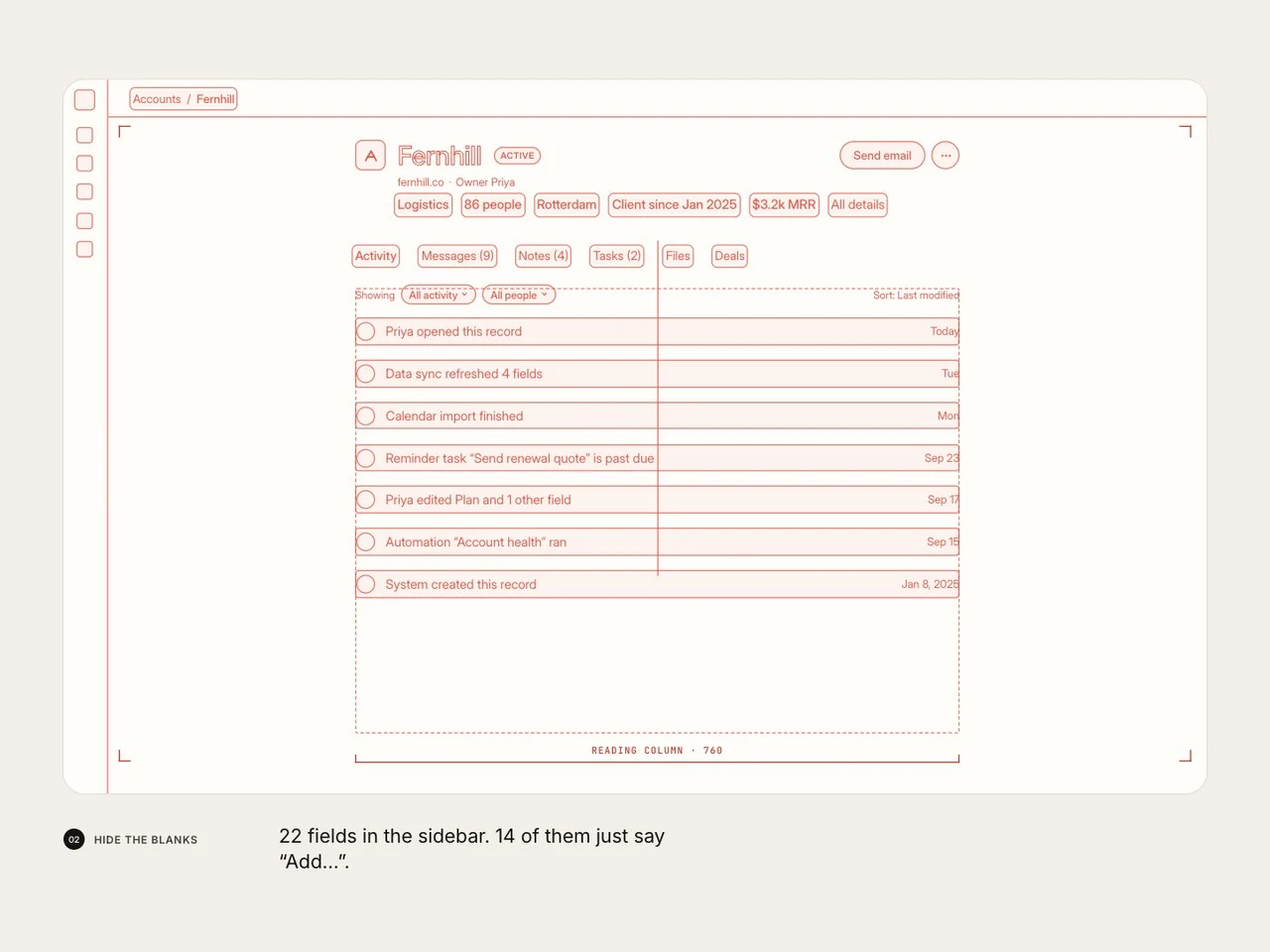
Decision 2 name = Hide the blanks
Decision 2 problem = 22 fields in the sidebar. 14 of them just say “Add…”.
Decision 2 change = The eight real facts move into one line. Blank fields wait behind a link.
Decision 3 name = Work on top
Decision 3 problem = A late task is buried in a tab and a sync log.
Decision 3 change = Three open tasks sit on top, with one primary button.
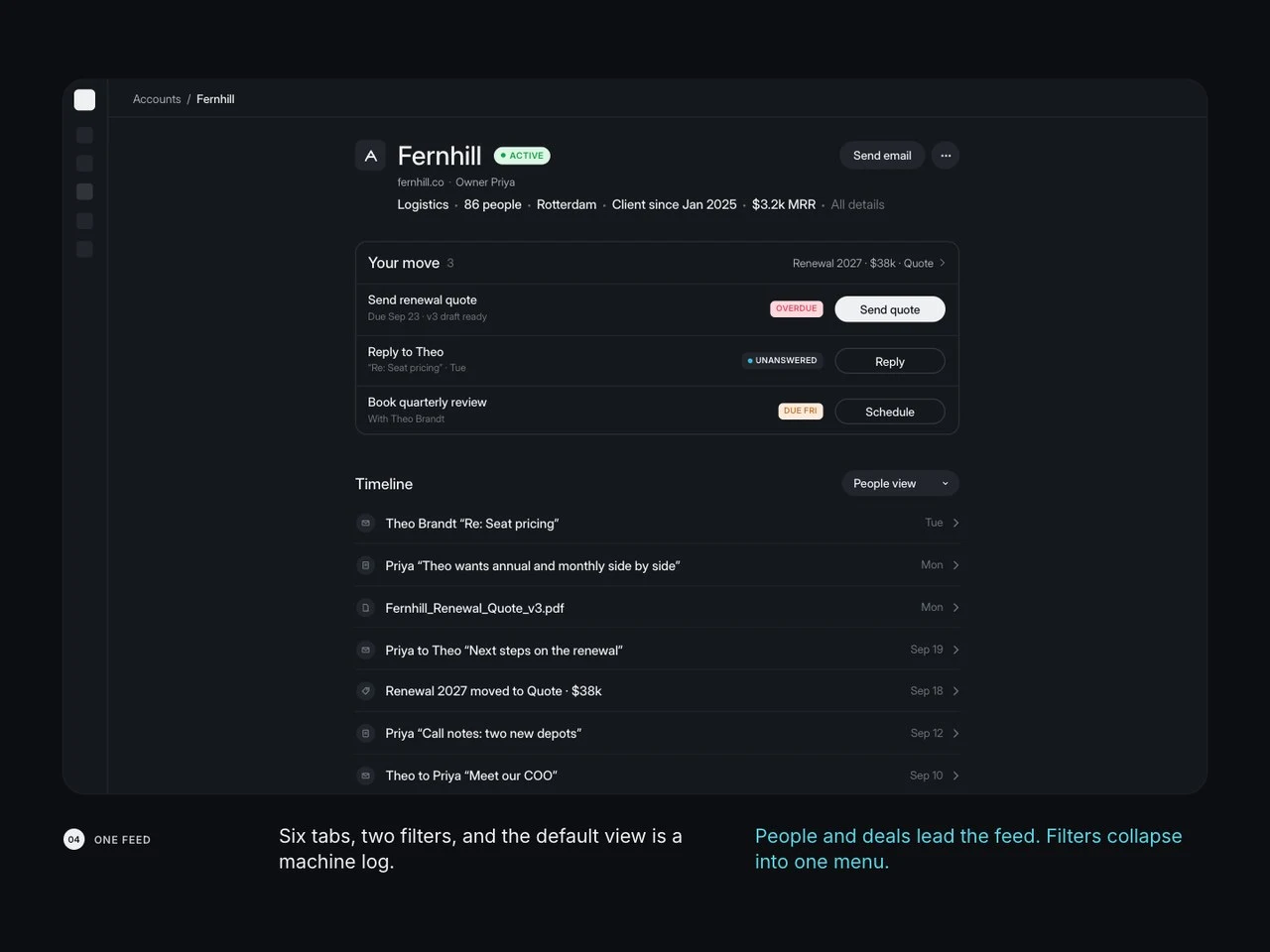
Decision 4 name = One feed
Decision 4 problem = Six tabs, two filters, and the default view is a machine log.
Decision 4 change = People and deals lead the feed. Filters collapse into one menu.
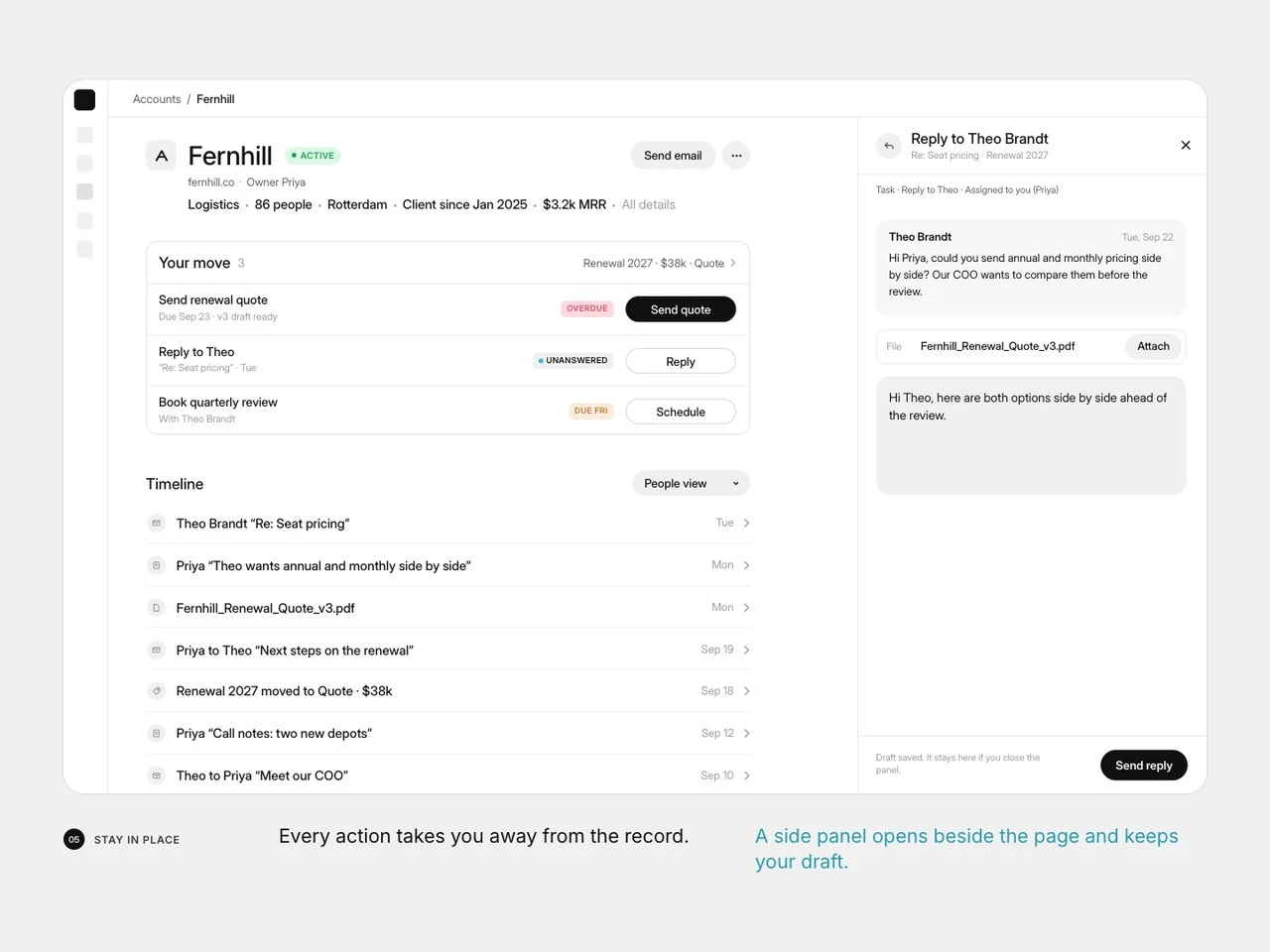
Decision 5 name = Stay in place
Decision 5 problem = Every action takes you away from the record.
Decision 5 change = A side panel opens beside the page and keeps your draft.
顏色 = blueprint
品牌色 = #1E3A8A
影片解析度 = 1080p
UX 決策藍圖動畫
一張紀錄頁分五章改版:每章先壓暗、掃描成帶尺寸標註的青色藍圖、改版面,再落到「問題 決策」兩行字幕。頁面上的欄位、紀錄、任務和決策都能換成你自己的,可選主題或品牌色,在本機輸出 1440x1080 或 4K MP4。
運作流程
- 安裝技能 · 安裝指南
- 執行你的需求 ·
/ux-decision-redline - 檢查成果
先閱讀 SKILL.md 的流程,再使用下方隨包提供的指令。
node -vnode scripts/check-setup.mjsnode scripts/create.mjs --helpnode scripts/create.mjs --out ./redline --data content.json --theme blueprintnode scripts/render.mjs ./redline --checknode scripts/render.mjs ./redline --frames 1000,4000,13900,22700,29700,36700
工作目錄
references/defaults.jsonreferences/fill-in.jsonreferences/project/index.htmlscripts/check-setup.mjsscripts/create.mjsscripts/render.mjs
你會得到
- 可編輯的 42 秒 1440x1080 場景,具有五個重新設計的章節,所有文本均位於命名槽中
- 1440x1080或4K算繪的MP4,加上任何時刻的劇照
- 在算繪之前自動檢查每個標籤、行和標題是否適合
執行需求
- 必要 · Node.js 22 或更新版本
- 必要 · Google Chrome、Chromium 或 Microsoft Edge
- 必要 · FFmpeg
使用建議
一個頁面、五個改版決策,藍圖線框式演示,42 秒講清楚。
切換到午夜主題並將記錄重新命名為Atlas Web,這是我們工作室工具中的一個項目
使用我的品牌顏色
開始之前
| 你需要提供 |
|
|---|---|
| 相依項目 |
|
| 外部費用 | 無外部服務費用 |
| 最近更新 | v1.0.3 · |
功能範圍以隨包提供的流程為準。



























































































