내 프롬프트
괄호 안을 내 내용으로 바꾸세요. 선택 항목은 생략해도 됩니다.
/ux-decision-redline
Object type = 〔Object type — 최대 63자〕
Record name = 〔Record name — 최대 14자〕
Decision 1 name = 〔Decision 1 name — 최대 22자〕
Decision 1 problem = 〔Decision 1 problem — 최대 90자〕
Decision 1 change = 〔Decision 1 change — 최대 89자〕
Decision 2 name = 〔Decision 2 name — 최대 24자〕
Decision 2 problem = 〔Decision 2 problem — 최대 87자〕
Decision 2 change = 〔Decision 2 change — 최대 88자〕
Decision 3 name = 〔Decision 3 name — 최대 21자〕
Decision 3 problem = 〔Decision 3 problem — 최대 91자〕
Decision 3 change = 〔Decision 3 change — 최대 86자〕
Decision 4 name = 〔Decision 4 name — 최대 24자〕
Decision 4 problem = 〔Decision 4 problem — 최대 90자〕
Decision 4 change = 〔Decision 4 change — 최대 88자〕
Decision 5 name = 〔Decision 5 name — 최대 25자〕
Decision 5 problem = 〔Decision 5 problem — 최대 82자〕
Decision 5 change = 〔Decision 5 change — 최대 84자〕
색상 = 〔색상 — blueprint (gray, cyan) / 남색 / redline (paper, red) — 선택〕
브랜드 색상 = 〔브랜드 색상 — 선택〕
영상 해상도 = 〔영상 해상도 — 1440x1080 / 4K (2880x2160) — 선택〕
막막하다면: 먼저 예시를 보여 주세요
예시
/ux-decision-redline
Object type = Accounts
Record name = Fernhill
Decision 1 name = One clear action
Decision 1 problem = Six buttons, all equally loud. Most days you only send email.
Decision 1 change = Send email stays up front. Everything else folds into the menu.
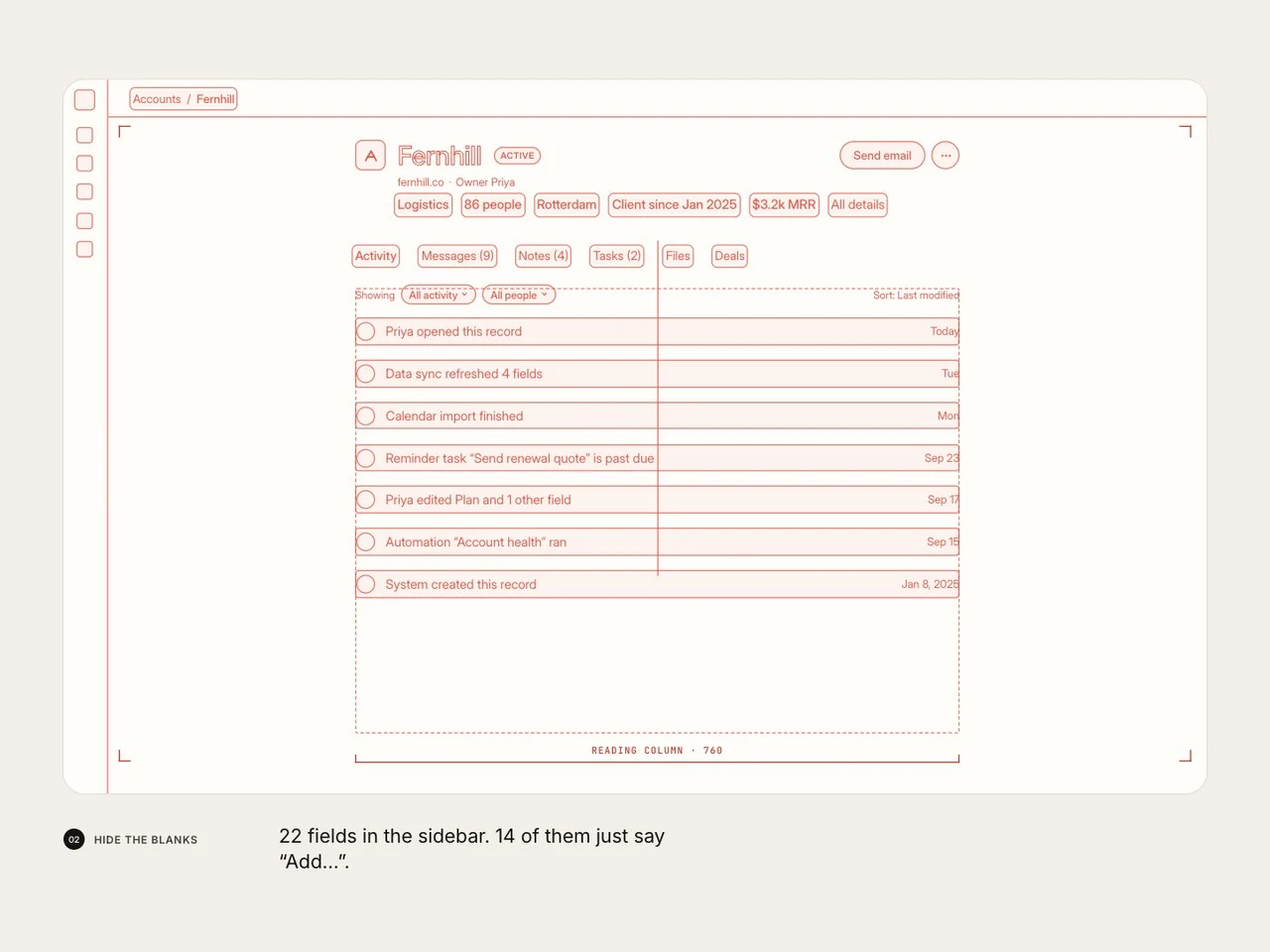
Decision 2 name = Hide the blanks
Decision 2 problem = 22 fields in the sidebar. 14 of them just say “Add…”.
Decision 2 change = The eight real facts move into one line. Blank fields wait behind a link.
Decision 3 name = Work on top
Decision 3 problem = A late task is buried in a tab and a sync log.
Decision 3 change = Three open tasks sit on top, with one primary button.
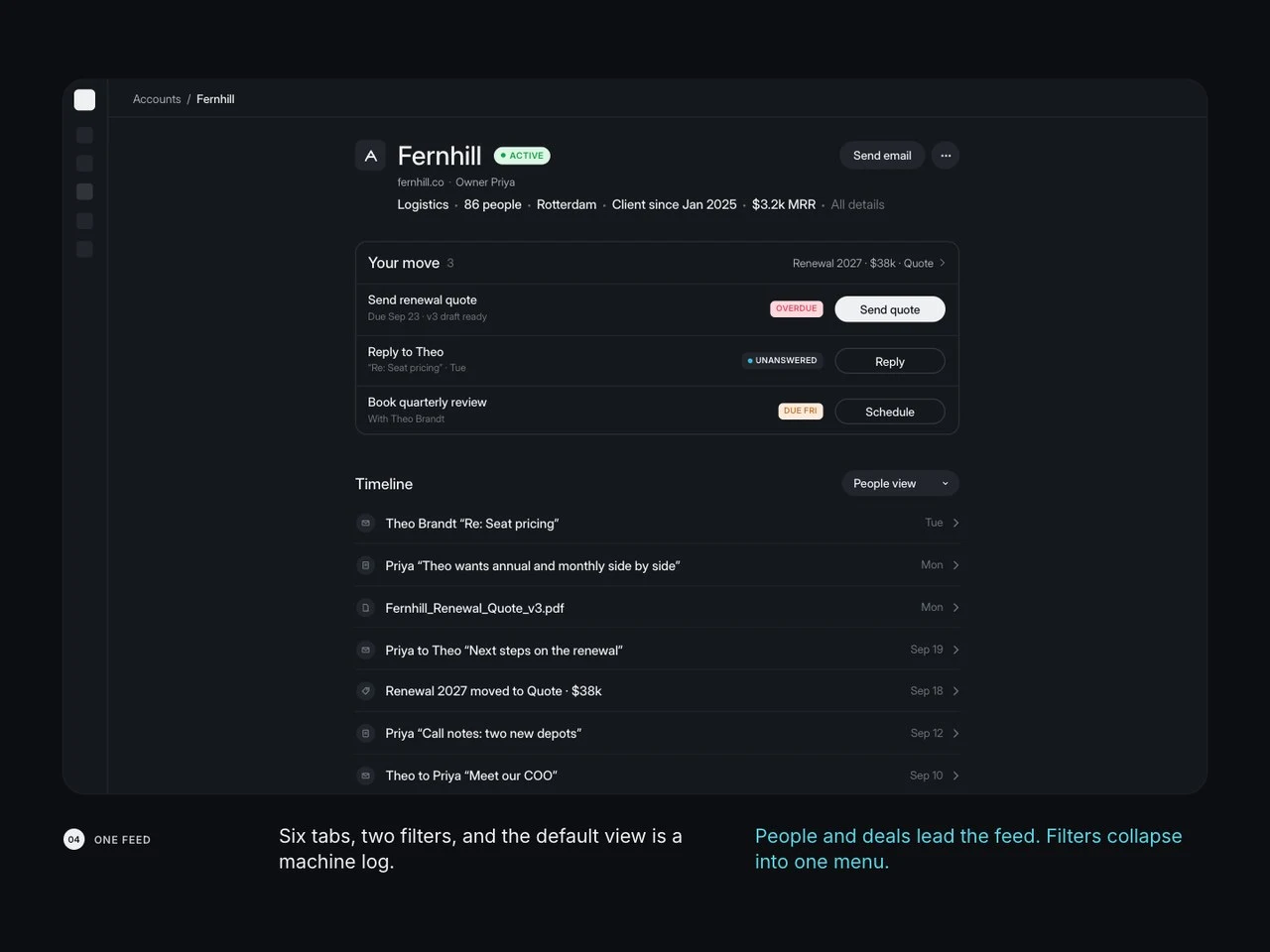
Decision 4 name = One feed
Decision 4 problem = Six tabs, two filters, and the default view is a machine log.
Decision 4 change = People and deals lead the feed. Filters collapse into one menu.
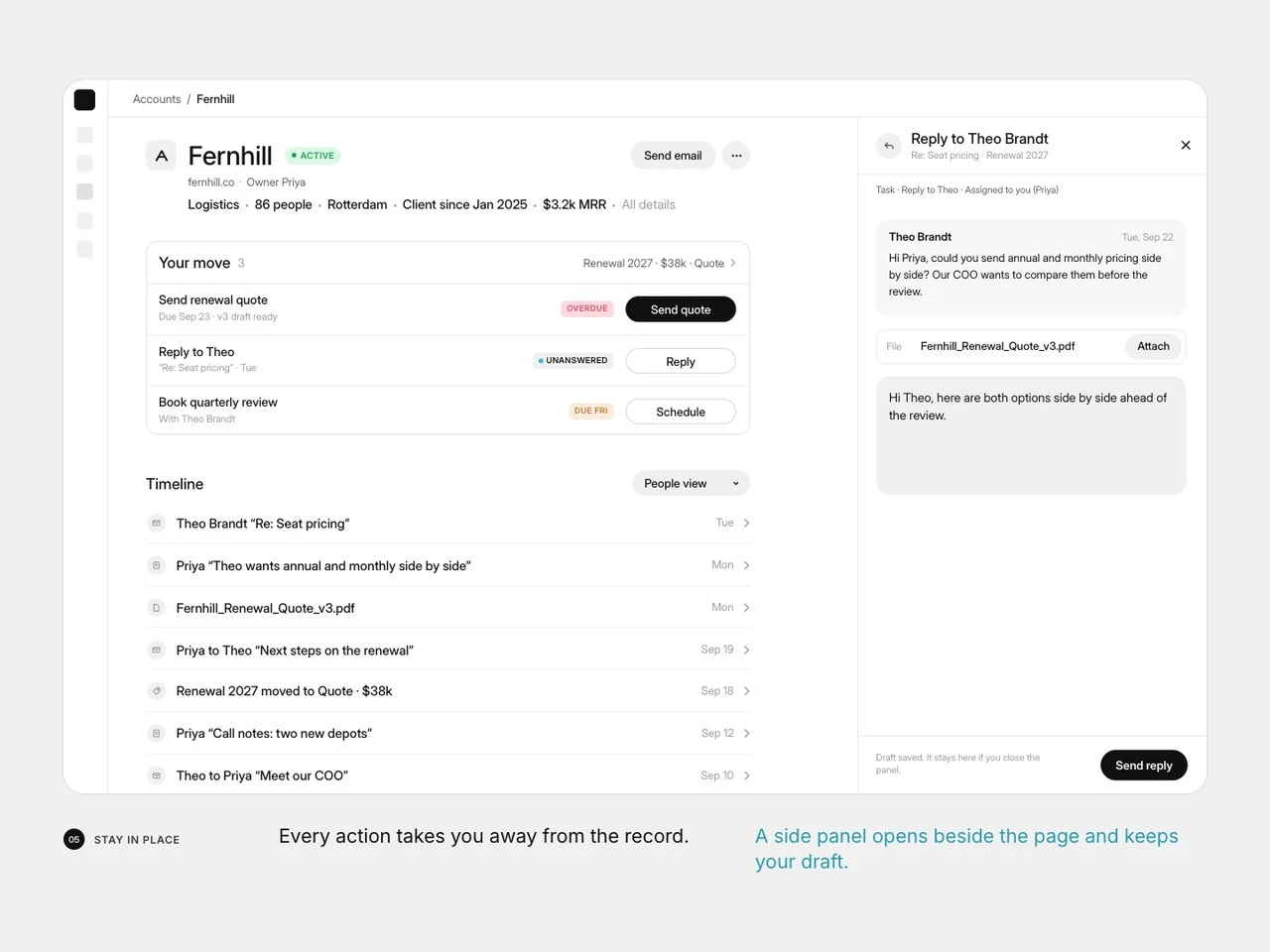
Decision 5 name = Stay in place
Decision 5 problem = Every action takes you away from the record.
Decision 5 change = A side panel opens beside the page and keeps your draft.
색상 = blueprint
브랜드 색상 = #1E3A8A
영상 해상도 = 1080p
UX 결정 레드라인
레코드 페이지를 다섯 장으로 다시 디자인합니다. 각 장은 화면을 어둡게 하고, 치수 라벨이 붙은 청록색 블루프린트로 바꾼 뒤 레이아웃을 고치고 '문제결정' 캡션으로 마무리합니다. 라벨, 행, 할 일, 결정을 직접 바꾸고 테마나 브랜드 색을 골라 1440x1080 또는 4K MP4를 로컬에서 렌더링하세요.
작동 방식
- 스킬 설치 · 설치 가이드
- 요청 실행 ·
/ux-decision-redline - 결과 확인
SKILL.md의 절차를 확인한 후 아래에 포함된 명령을 사용하세요.
node -vnode scripts/check-setup.mjsnode scripts/create.mjs --helpnode scripts/create.mjs --out ./redline --data content.json --theme blueprintnode scripts/render.mjs ./redline --checknode scripts/render.mjs ./redline --frames 1000,4000,13900,22700,29700,36700
작업 폴더
references/defaults.jsonreferences/fill-in.jsonreferences/project/index.htmlscripts/check-setup.mjsscripts/create.mjsscripts/render.mjs
제공 항목
- 5개의 재설계된 챕터가 있는 편집 가능한 42초 1440x1080 장면, 모든 텍스트는 명명된 슬롯에 있음
- 1440x1080 또는 4K에서 렌더링된 MP4 및 모든 순간의 스틸
- 렌더링하기 전에 모든 레이블, 행 및 캡션이 맞는지 자동 확인
실행 요구 사항
- 필수 · Node.js 22 이상
- 필수 · Google Chrome, Chromium 또는 Microsoft Edge
- 필수 · FFmpeg
도움말
한 화면의 다섯 가지 개선 결정을 블루프린트 스타일로 42초 만에.
자정 테마로 전환하고 레코드 이름을 스튜디오 도구의 프로젝트인 Atlas Web으로 바꿉니다.
내 브랜드 컬러를 사용해보세요
시작하기 전에
| 준비할 내용 |
|
|---|---|
| 의존성 |
|
| 외부 비용 | 외부 서비스 비용 없음 |
| 최근 업데이트 | v1.0.3 · |
제공된 워크플로 범위 안에서 사용하세요.



























































































