あなたのプロンプト
括弧内を自分の内容に置き換えてください。任意の項目は省略できます。
/ux-decision-redline
Object type = 〔Object type — 最大 63 文字〕
Record name = 〔Record name — 最大 14 文字〕
Decision 1 name = 〔Decision 1 name — 最大 22 文字〕
Decision 1 problem = 〔Decision 1 problem — 最大 90 文字〕
Decision 1 change = 〔Decision 1 change — 最大 89 文字〕
Decision 2 name = 〔Decision 2 name — 最大 24 文字〕
Decision 2 problem = 〔Decision 2 problem — 最大 87 文字〕
Decision 2 change = 〔Decision 2 change — 最大 88 文字〕
Decision 3 name = 〔Decision 3 name — 最大 21 文字〕
Decision 3 problem = 〔Decision 3 problem — 最大 91 文字〕
Decision 3 change = 〔Decision 3 change — 最大 86 文字〕
Decision 4 name = 〔Decision 4 name — 最大 24 文字〕
Decision 4 problem = 〔Decision 4 problem — 最大 90 文字〕
Decision 4 change = 〔Decision 4 change — 最大 88 文字〕
Decision 5 name = 〔Decision 5 name — 最大 25 文字〕
Decision 5 problem = 〔Decision 5 problem — 最大 82 文字〕
Decision 5 change = 〔Decision 5 change — 最大 84 文字〕
色 = 〔色 — blueprint (gray, cyan) / 紺 / redline (paper, red) — 任意〕
ブランドカラー = 〔ブランドカラー — 任意〕
動画の解像度 = 〔動画の解像度 — 1440x1080 / 4K (2880x2160) — 任意〕
迷ったら「まず使用例を見せて」と伝えてください
使用例
/ux-decision-redline
Object type = Accounts
Record name = Fernhill
Decision 1 name = One clear action
Decision 1 problem = Six buttons, all equally loud. Most days you only send email.
Decision 1 change = Send email stays up front. Everything else folds into the menu.
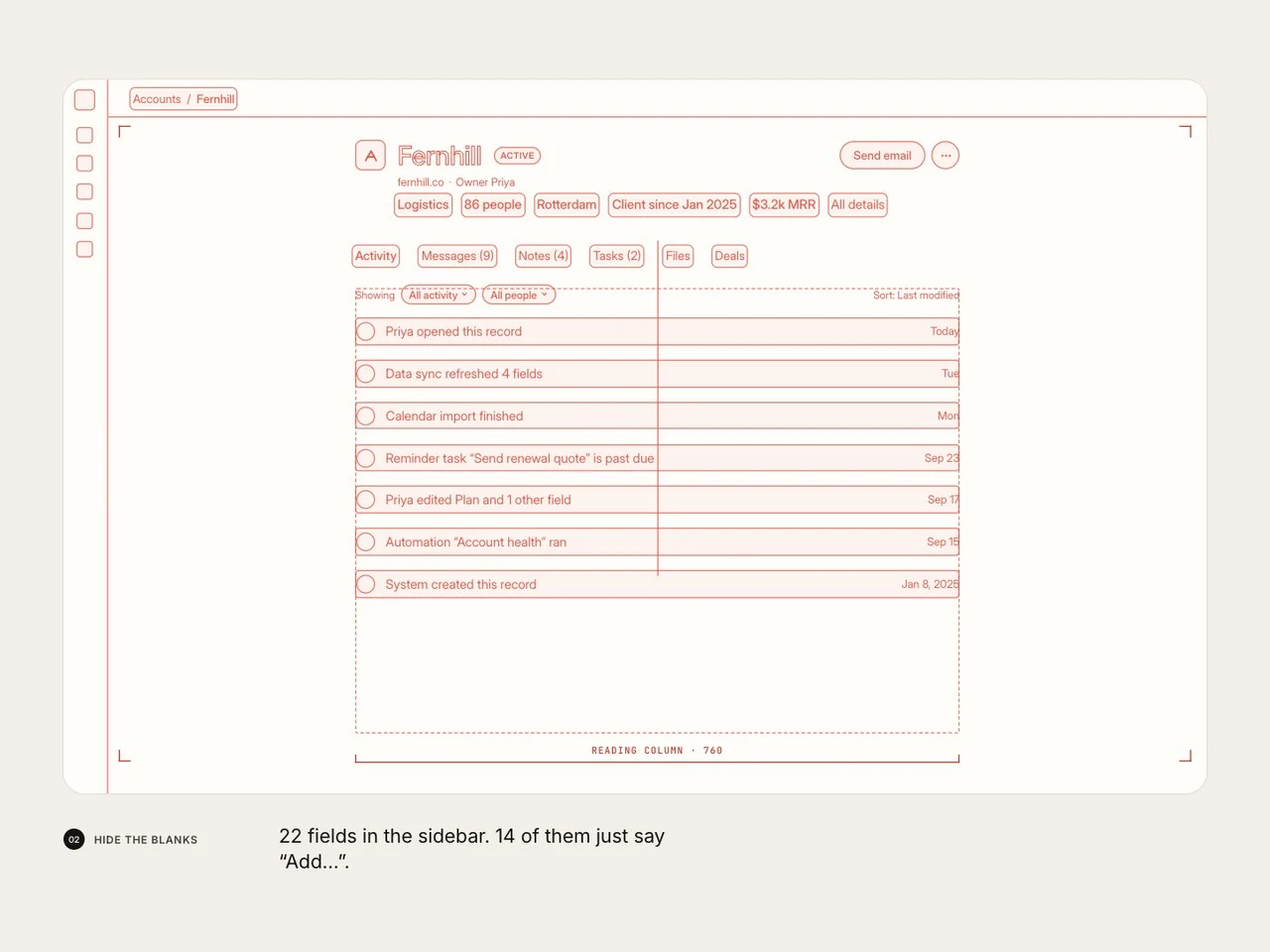
Decision 2 name = Hide the blanks
Decision 2 problem = 22 fields in the sidebar. 14 of them just say “Add…”.
Decision 2 change = The eight real facts move into one line. Blank fields wait behind a link.
Decision 3 name = Work on top
Decision 3 problem = A late task is buried in a tab and a sync log.
Decision 3 change = Three open tasks sit on top, with one primary button.
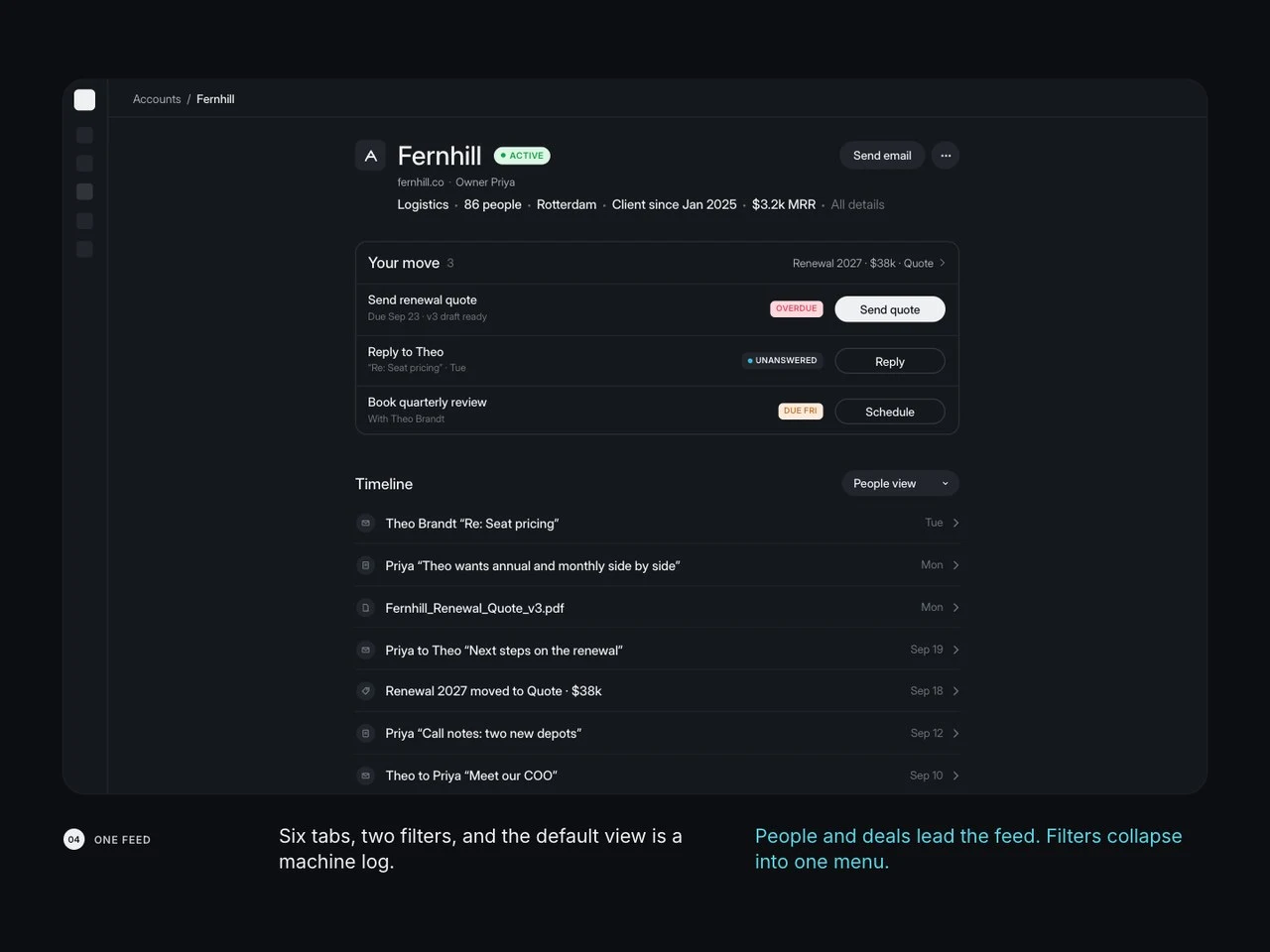
Decision 4 name = One feed
Decision 4 problem = Six tabs, two filters, and the default view is a machine log.
Decision 4 change = People and deals lead the feed. Filters collapse into one menu.
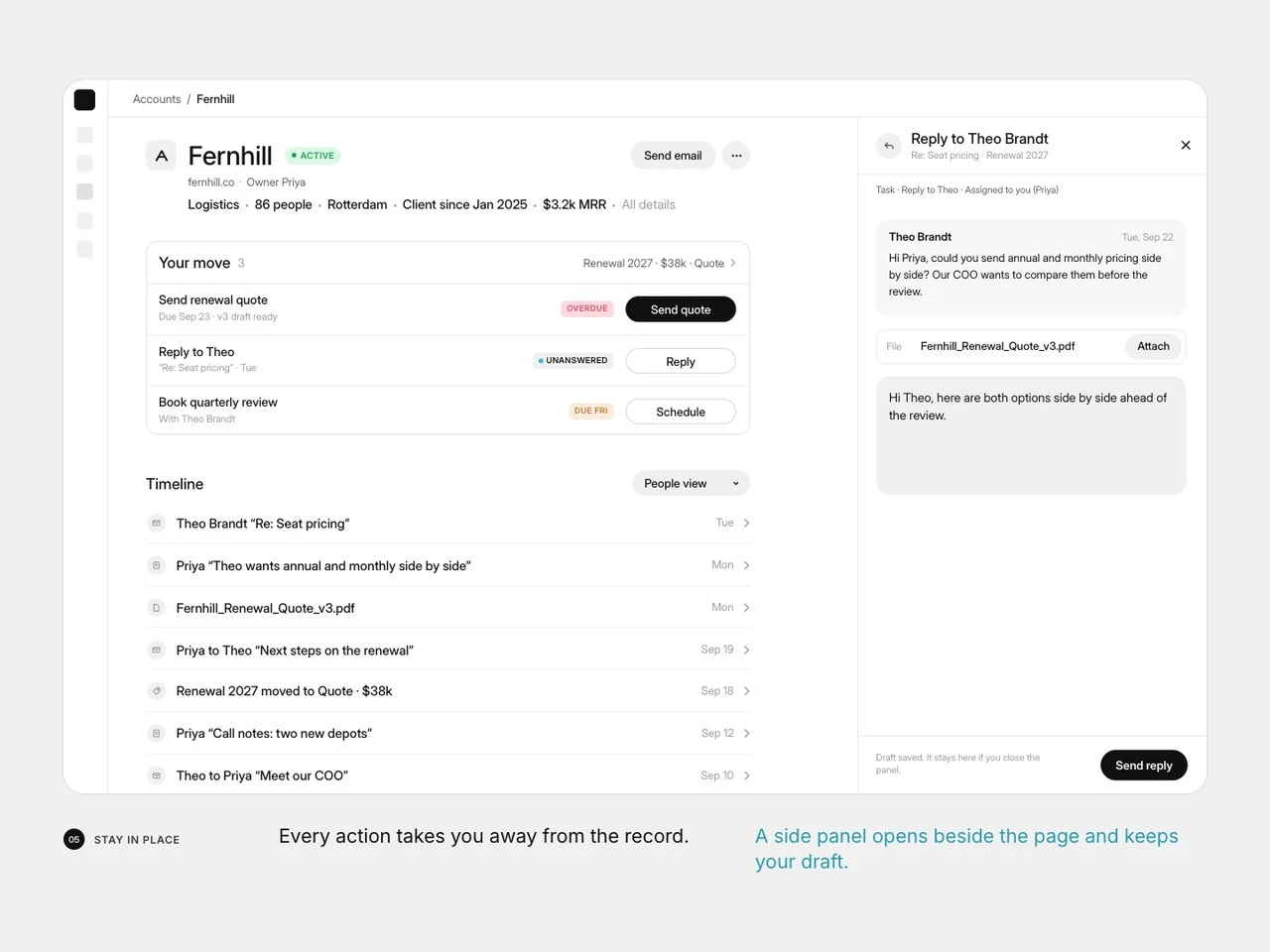
Decision 5 name = Stay in place
Decision 5 problem = Every action takes you away from the record.
Decision 5 change = A side panel opens beside the page and keeps your draft.
色 = blueprint
ブランドカラー = #1E3A8A
動画の解像度 = 1080p
UXデシジョン・レッドライン
レコード画面を5章で再設計します。各章で画面を暗くし、寸法ラベル付きのシアンの設計図に切り替え、レイアウトを変えて「課題判断」のキャプションで締めます。ラベル、行、タスク、判断を自分の内容に差し替え、テーマかブランドカラーを選んで1440x1080または4KのMP4をローカルで書き出せます。
仕組み
- スキルをインストール · インストール手順
- リクエストを実行 ·
/ux-decision-redline - 結果を確認
SKILL.mdの手順を確認し、同梱のコマンドを使用してください。
node -vnode scripts/check-setup.mjsnode scripts/create.mjs --helpnode scripts/create.mjs --out ./redline --data content.json --theme blueprintnode scripts/render.mjs ./redline --checknode scripts/render.mjs ./redline --frames 1000,4000,13900,22700,29700,36700
作業フォルダー
references/defaults.jsonreferences/fill-in.jsonreferences/project/index.htmlscripts/check-setup.mjsscripts/create.mjsscripts/render.mjs
含まれるもの
- 5 つの再設計チャプターを含む編集可能な 42 秒の 1440x1080 シーン、すべてのテキストが名前付きスロットにあります
- 1440x1080 または 4K でレンダリングされた MP4、および任意の瞬間の静止画
- レンダリング前にすべてのラベル、行、キャプションが適合するかどうかを自動チェックします
実行要件
- 必須 · Node.js 22以降
- 必須 · Google Chrome、Chromium または Microsoft Edge
- 必須 · FFmpeg
ヒント
1つの画面で5つの改善判断を、ブループリント風に42秒で見せる。
真夜中のテーマに切り替え、レコードの名前をスタジオ ツールのプロジェクトである Atlas Web に変更します
私のブランドカラーを使用してください
始める前に
| 用意するもの |
|
|---|---|
| 依存関係 |
|
| 外部費用 | 外部サービス費用なし |
| 最終更新 | v1.0.3 · |
機能は同梱のワークフローの範囲に限られます。



























































































