Your prompt
Replace the brackets with your own content; leave optional ones out.
/ux-decision-redline
Object type = 〔Object type — object type — max 63 chars〕
Record name = 〔Record name — record name — max 14 chars〕
Decision 1 name = 〔Decision 1 name — short name — max 22 chars〕
Decision 1 problem = 〔Decision 1 problem — the problem — max 90 chars〕
Decision 1 change = 〔Decision 1 change — the change — max 89 chars〕
Decision 2 name = 〔Decision 2 name — short name — max 24 chars〕
Decision 2 problem = 〔Decision 2 problem — the problem — max 87 chars〕
Decision 2 change = 〔Decision 2 change — the change — max 88 chars〕
Decision 3 name = 〔Decision 3 name — short name — max 21 chars〕
Decision 3 problem = 〔Decision 3 problem — the problem — max 91 chars〕
Decision 3 change = 〔Decision 3 change — the change — max 86 chars〕
Decision 4 name = 〔Decision 4 name — short name — max 24 chars〕
Decision 4 problem = 〔Decision 4 problem — the problem — max 90 chars〕
Decision 4 change = 〔Decision 4 change — the change — max 88 chars〕
Decision 5 name = 〔Decision 5 name — short name — max 25 chars〕
Decision 5 problem = 〔Decision 5 problem — the problem — max 82 chars〕
Decision 5 change = 〔Decision 5 change — the change — max 84 chars〕
Color = 〔Color — blueprint (gray, cyan) / midnight (dark, cyan) / redline (paper, red) — optional〕
Brand color = 〔Brand color — #RRGGBB — optional〕
Video size = 〔Video size — 1440x1080 / 4K (2880x2160) — optional〕
Not sure? Say: show me an example first
Example
/ux-decision-redline
Object type = Accounts
Record name = Fernhill
Decision 1 name = One clear action
Decision 1 problem = Six buttons, all equally loud. Most days you only send email.
Decision 1 change = Send email stays up front. Everything else folds into the menu.
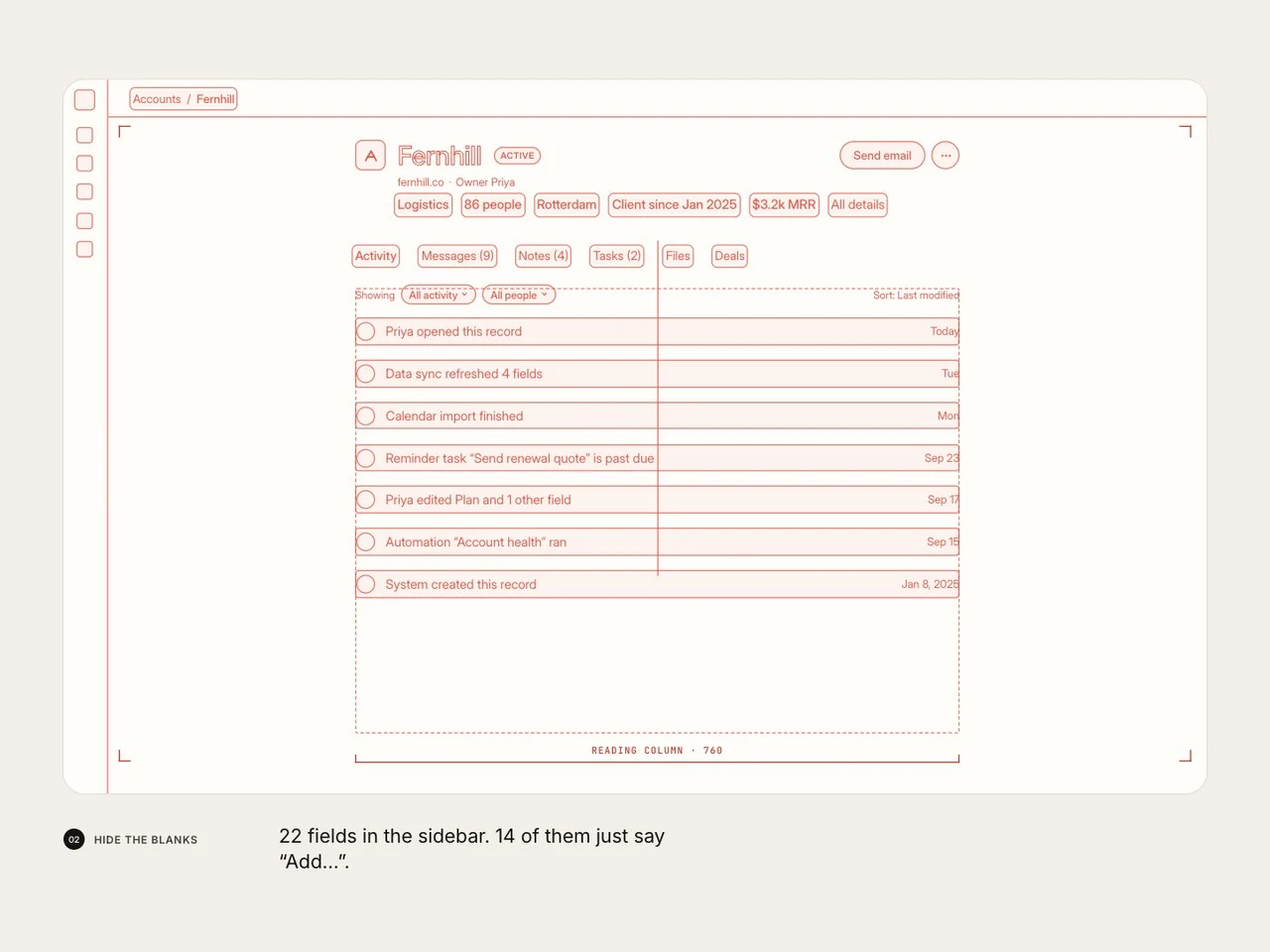
Decision 2 name = Hide the blanks
Decision 2 problem = 22 fields in the sidebar. 14 of them just say “Add…”.
Decision 2 change = The eight real facts move into one line. Blank fields wait behind a link.
Decision 3 name = Work on top
Decision 3 problem = A late task is buried in a tab and a sync log.
Decision 3 change = Three open tasks sit on top, with one primary button.
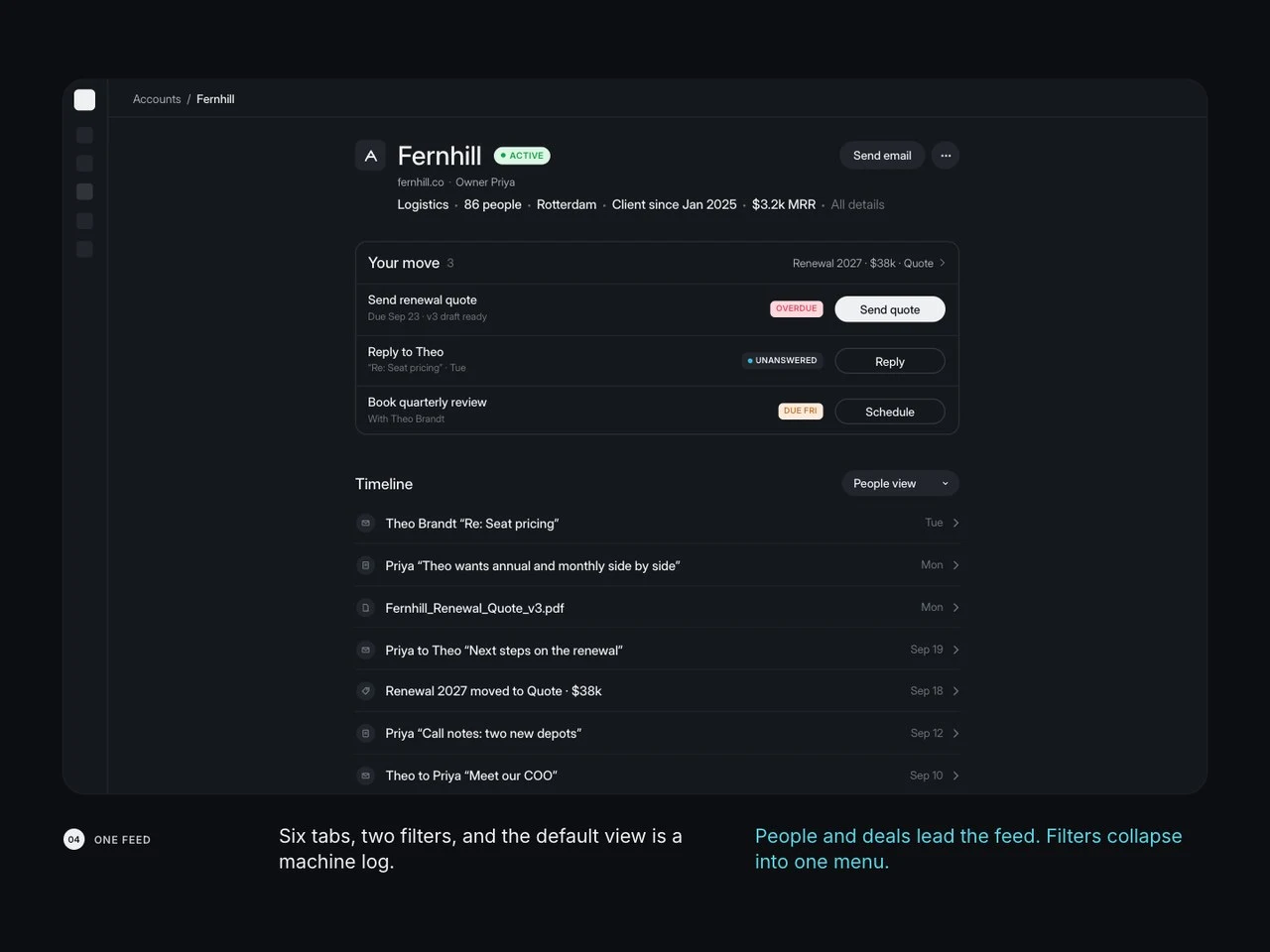
Decision 4 name = One feed
Decision 4 problem = Six tabs, two filters, and the default view is a machine log.
Decision 4 change = People and deals lead the feed. Filters collapse into one menu.
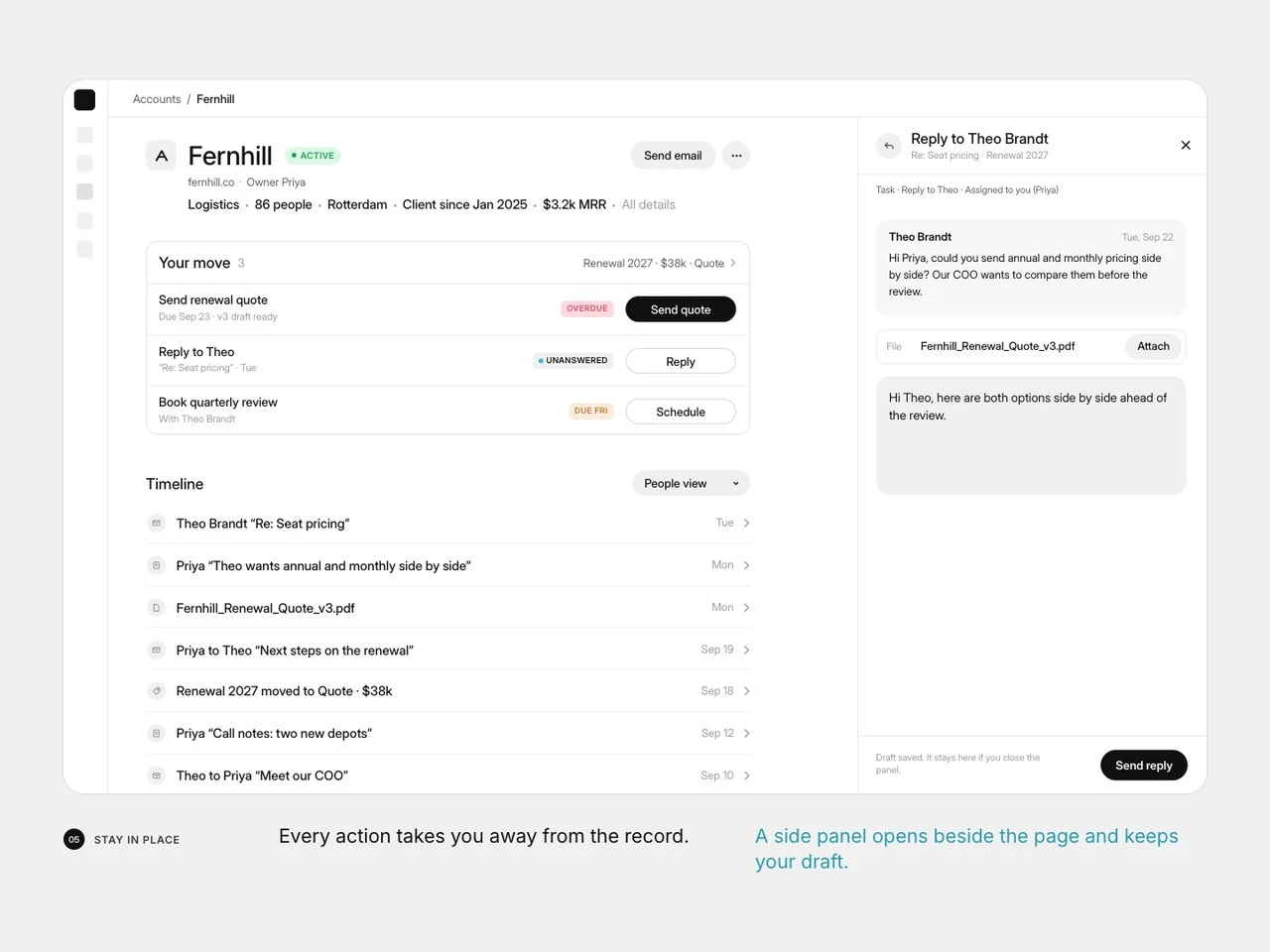
Decision 5 name = Stay in place
Decision 5 problem = Every action takes you away from the record.
Decision 5 change = A side panel opens beside the page and keeps your draft.
Color = blueprint
Brand color = #1E3A8A
Video size = 1080p
UX Decision Redline
A record page is redesigned in five chapters: each one dims the screen, sweeps it into a cyan blueprint with measurement labels, changes the layout and lands on a problem-and-decision caption. Swap in your own labels, rows, tasks and decisions, pick a theme or brand color, and render a 1440x1080 or 4K MP4 locally.
How it works
- Install the skill · Install guides
- Run your request ·
/ux-decision-redline - Review the result
Review the workflow in SKILL.md and use the bundled commands below.
node -vnode scripts/check-setup.mjsnode scripts/create.mjs --helpnode scripts/create.mjs --out ./redline --data content.json --theme blueprintnode scripts/render.mjs ./redline --checknode scripts/render.mjs ./redline --frames 1000,4000,13900,22700,29700,36700
Workspace
references/defaults.jsonreferences/fill-in.jsonreferences/project/index.htmlscripts/check-setup.mjsscripts/create.mjsscripts/render.mjs
What you get
- An editable 42-second 1440x1080 scene with five redesign chapters, all text in named slots
- A rendered MP4 at 1440x1080 or 4K, plus stills of any moment
- An automatic check that every label, row and caption fits before rendering
Requirements
- Required · Node.js 22 or newer
- Required · Google Chrome, Chromium or Microsoft Edge
- Required · FFmpeg
Tips
Animate five redesign decisions on one screen, blueprint style, in 42 seconds.
Switch to the midnight theme and rename the record to Atlas Web, a project in our studio tool
Use my brand color
Before you start
| You provide |
|
|---|---|
| Dependencies |
|
| External costs | No external service cost |
| Last updated | v1.0.3 · |
No additional scope beyond the supplied workflow.



























































































