Your prompt
Replace the brackets with your own content; leave optional ones out.
/pixel-pet-companion-launch
Wordmark, first half = 〔Wordmark, first half — first half of the name — max 7 chars〕
Wordmark, second half = 〔Wordmark, second half — second half of the name — max 7 chars〕
Pet name = 〔Pet name — your pet's name — max 43 chars〕
Command prefix = 〔Command prefix — command prefix — max 10 chars〕
Title card line = 〔Title card line — one line about the add-on — max 52 chars〕
Install card line = 〔Install card line — call to action — max 40 chars〕
Install command = 〔Install command — install command — max 27 chars〕
Color = 〔Color — daylight (light) / ember (dark, coral) / moss (green) — optional〕
Brand color = 〔Brand color — #RRGGBB — optional〕
Video size = 〔Video size — 1080p / 4K — optional〕
Not sure? Say: show me an example first
Example
/pixel-pet-companion-launch
Wordmark, first half = pip
Wordmark, second half = nook
Pet name = Pip
Command prefix = pip
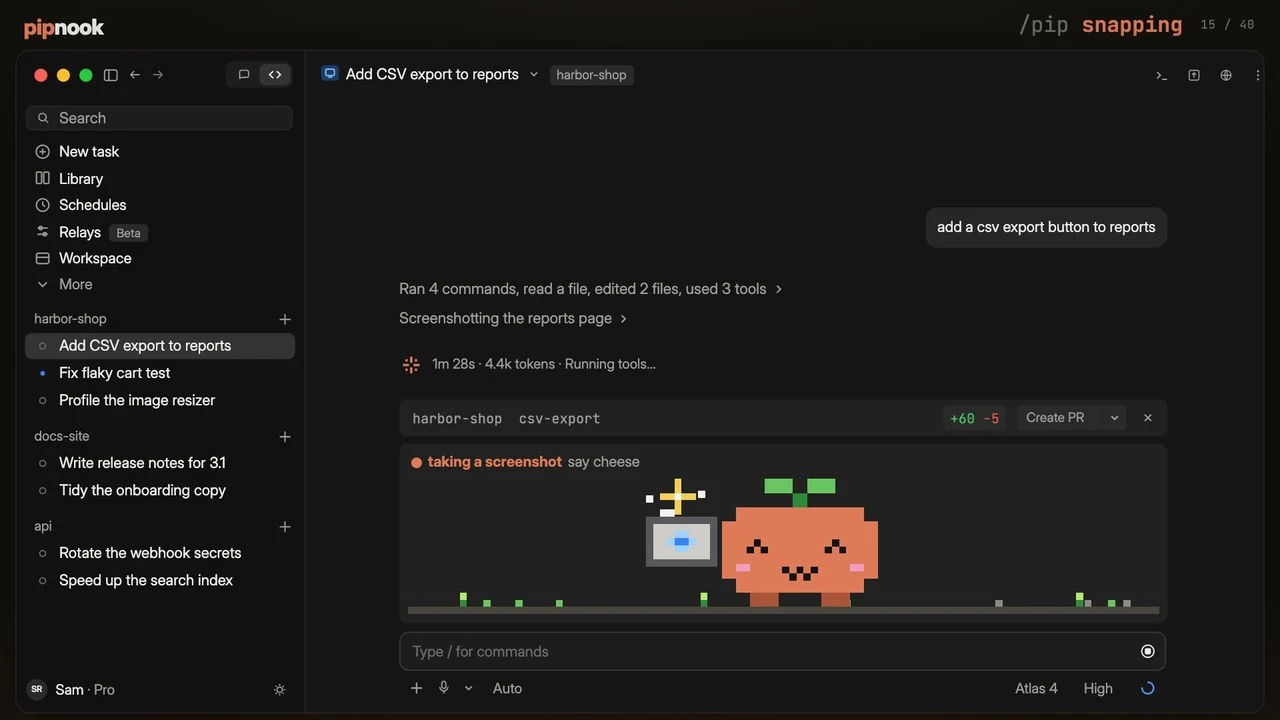
Title card line = A pixel Pip who acts out what your agent is doing
Install card line = Get Pip for your Tandem desktop
Install command = /addon install pipnook
Color = ember
Brand color = #1E3A8A
Video size = 1080p
Pixel Pet Companion Launch
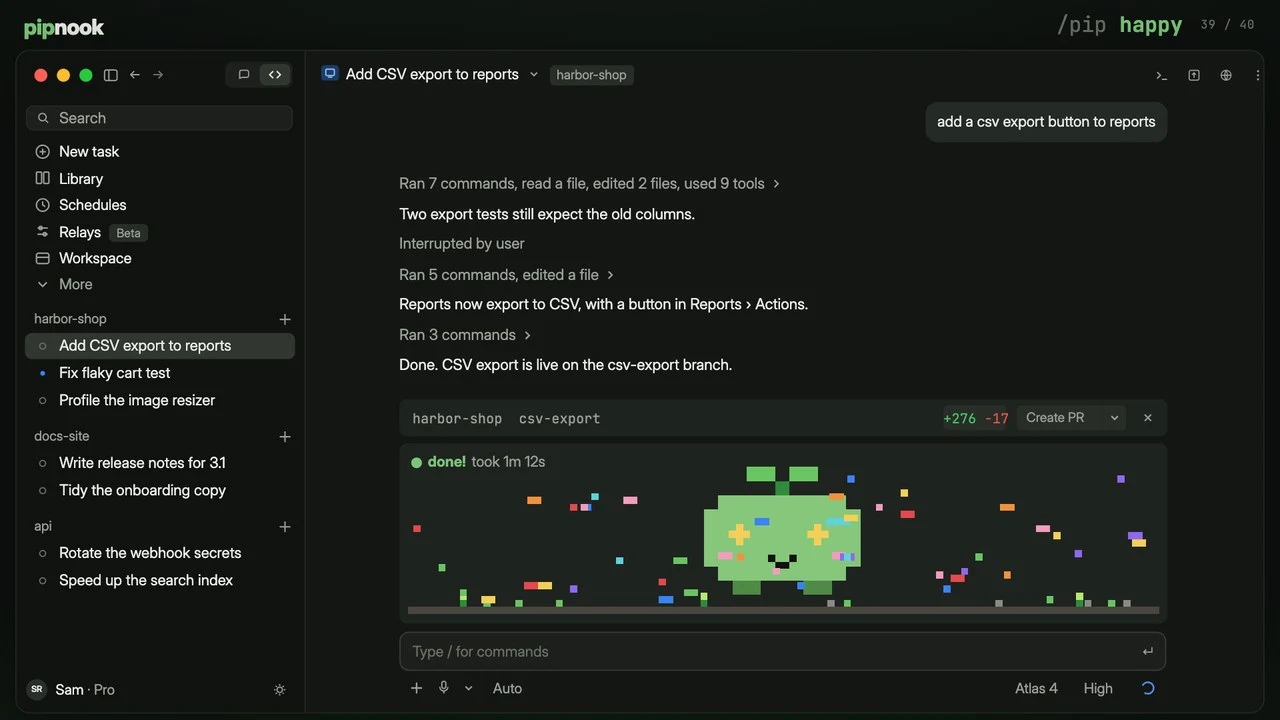
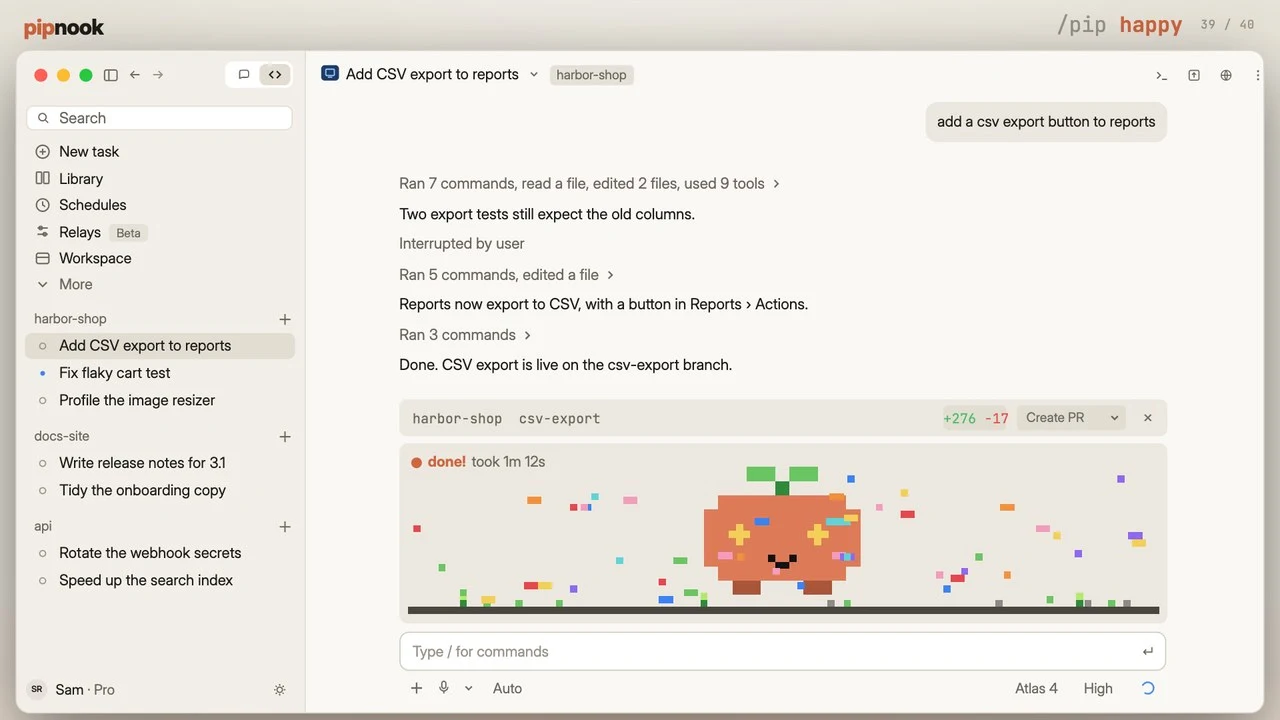
A 36.5-second launch film for a companion add-on: inside a dark coding-agent window a pixel pet plays every state (planning, surfing, delegating, shipping) while the chat log grows, then twelve reactions and an install card. Rename the add-on, the pet, the task, every state word and the install command, pick a theme, and render a 1920x1080 MP4 locally.
How it works
- Install the skill · Install guides
- Run your request ·
/pixel-pet-companion-launch - Review the result
Review the workflow in SKILL.md and use the bundled commands below.
node -vnode scripts/check-setup.mjsnode scripts/render.mjs ./pet-film --checknode scripts/create.mjs --helpnode scripts/render.mjs ./pet-film --output pet-film.mp4
Workspace
references/defaults.jsonreferences/fill-in.jsonreferences/project/index.htmlscripts/check-setup.mjsscripts/create.mjsscripts/render.mjs
What you get
- An editable 36.5-second 1920x1080 scene with your add-on, pet, task and install command
- A rendered H.264 MP4 from the bundled Chrome and FFmpeg renderer
- An automatic check that every one of the 185 text slots fits before rendering
Requirements
- Required · Node.js 22 or newer
- Required · Google Chrome, Chromium or Microsoft Edge
- Required · FFmpeg
Tips
A pixel mascot acts out forty agent states in a dark app, then shows the install line.
Switch to the daylight theme and use my brand color #2F7DF6
Change the task to adding dark mode to the settings page and rewrite every chat line to match
Before you start
| You provide |
|
|---|---|
| Dependencies |
|
| External costs | No external service cost |
| Last updated | v1.0.3 · |
No additional scope beyond the supplied workflow.



























































































