Your prompt
Replace the brackets with your own content; leave optional ones out.
/resume-motion-showreel
Name = 〔Name — your name — max 11 chars〕
Role = 〔Role — your role — max 32 chars〕
Greeting before the name = 〔Greeting before the name — greeting — max 24 chars — optional〕
Initials = 〔Initials — 1-2 letters — max 2 chars〕
Reel label = 〔Reel label — reel label — max 24 chars — optional〕
Toolkit heading = 〔Toolkit heading — toolkit heading — max 40 chars — optional〕
Skill 1 = 〔Skill 1 — skill 1 — max 18 chars〕
Skill 2 = 〔Skill 2 — skill 2 — max 18 chars〕
Skill 3 = 〔Skill 3 — skill 3 — max 18 chars〕
Skill 4 = 〔Skill 4 — skill 4 — max 18 chars〕
Beat word 1 = 〔Beat word 1 — one word — max 8 chars — optional〕
Beat word 2 = 〔Beat word 2 — one word — max 8 chars — optional〕
Beat word 3 = 〔Beat word 3 — one word — max 7 chars — optional〕
Beat word 4 = 〔Beat word 4 — one word — max 8 chars — optional〕
Contact = 〔Contact — your email, site or handle — max 40 chars〕
Status line = 〔Status line — status line — max 36 chars — optional〕
Color = 〔Color — ember (coral) / forest (green) / rose (red) / violet — optional〕
Brand color = 〔Brand color — #RRGGBB — optional〕
Video size = 〔Video size — 1080p / 4K — optional〕
Not sure? Say: show me an example first
Example
/resume-motion-showreel
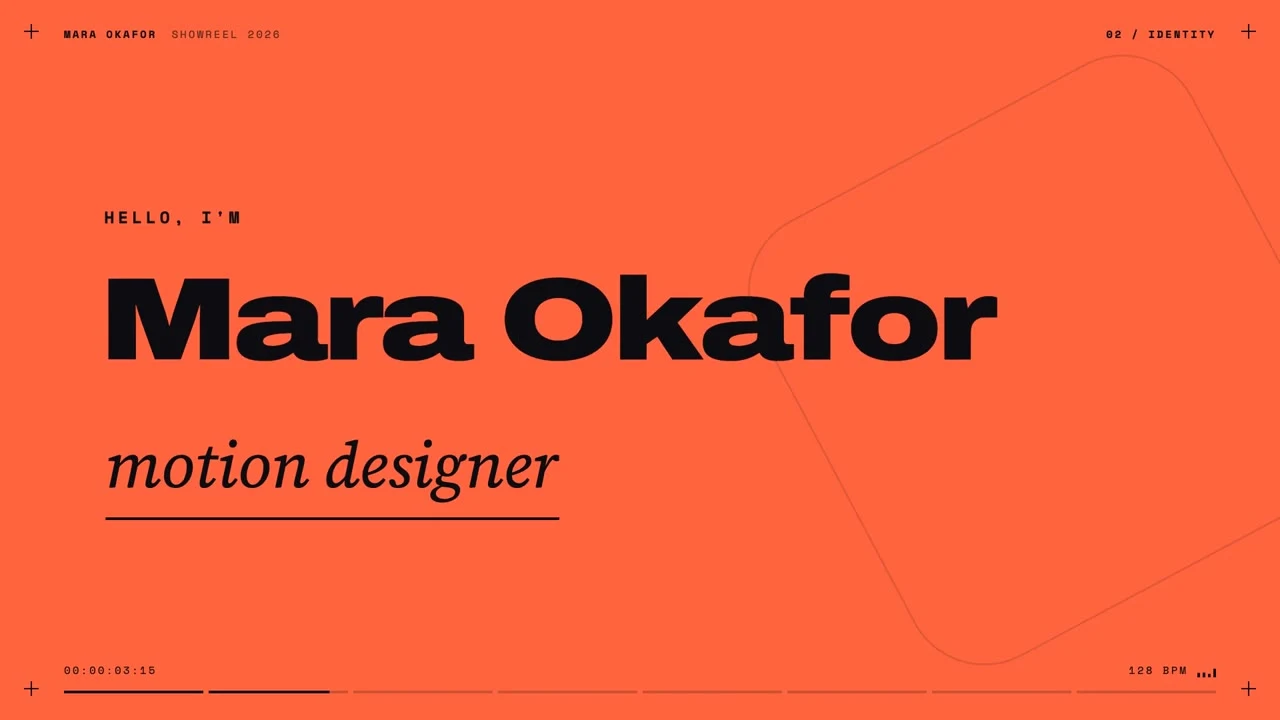
Name = Mara Okafor
Role = motion designer
Greeting before the name = Hello, I'm
Initials = MO
Reel label = Showreel 2026
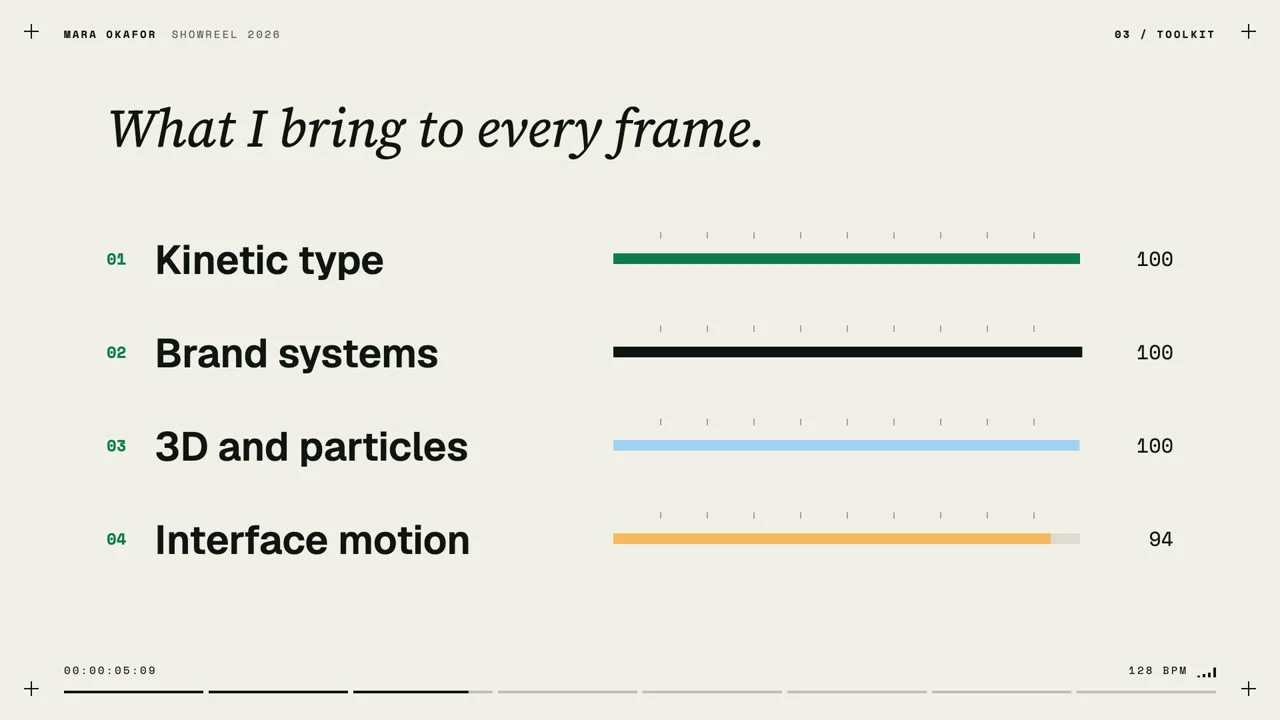
Toolkit heading = What I bring to every frame.
Skill 1 = Kinetic type
Skill 2 = Brand systems
Skill 3 = 3D and particles
Skill 4 = Interface motion
Beat word 1 = Think
Beat word 2 = Frame
Beat word 3 = Move
Beat word 4 = Ship
Contact = hello@maraokafor.example
Status line = Open for new projects
Color = ember
Brand color = #1E3A8A
Video size = 1080p
Resume Motion Showreel
Eight one-bar chapters at 128 BPM show off tempo, type, easing, shape morphs, a flow field, 3D points and kinetic words, then land on a contact card with your name, role, four skills and email. Swap every word and pick a theme or brand color, then render a 1080p or 4K MP4 locally or with HyperFrames.
How it works
- Install the skill · Install guides
- Run your request ·
/resume-motion-showreel - Review the result
Review the workflow in SKILL.md and use the bundled commands below.
node -vnode scripts/check-setup.mjsnpx hyperframesnpx hyperframes rendernode scripts/render.mjs ./reel --checknode scripts/render.mjs ./reel --frames 3500,5400,12950,14600
Workspace
references/defaults.jsonreferences/fill-in.jsonreferences/project/index.htmlscripts/check-setup.mjsscripts/create.mjsscripts/hyperframes.mjsscripts/render.mjs
What you get
- An editable 15-second 1920x1080 showreel scene with your name, role, skills and contact
- A rendered MP4 at 1080p or 4K, from the built-in renderer or HyperFrames
- An automatic check that every word fits before rendering
Requirements
- Required · Node.js 22 or newer
- Required · Google Chrome, Chromium or Microsoft Edge
- Required · FFmpeg
- Optional · HyperFrames CLI (npx hyperframes)
Tips
A 15-second, eight-beat motion showreel that ends on your name and contact.
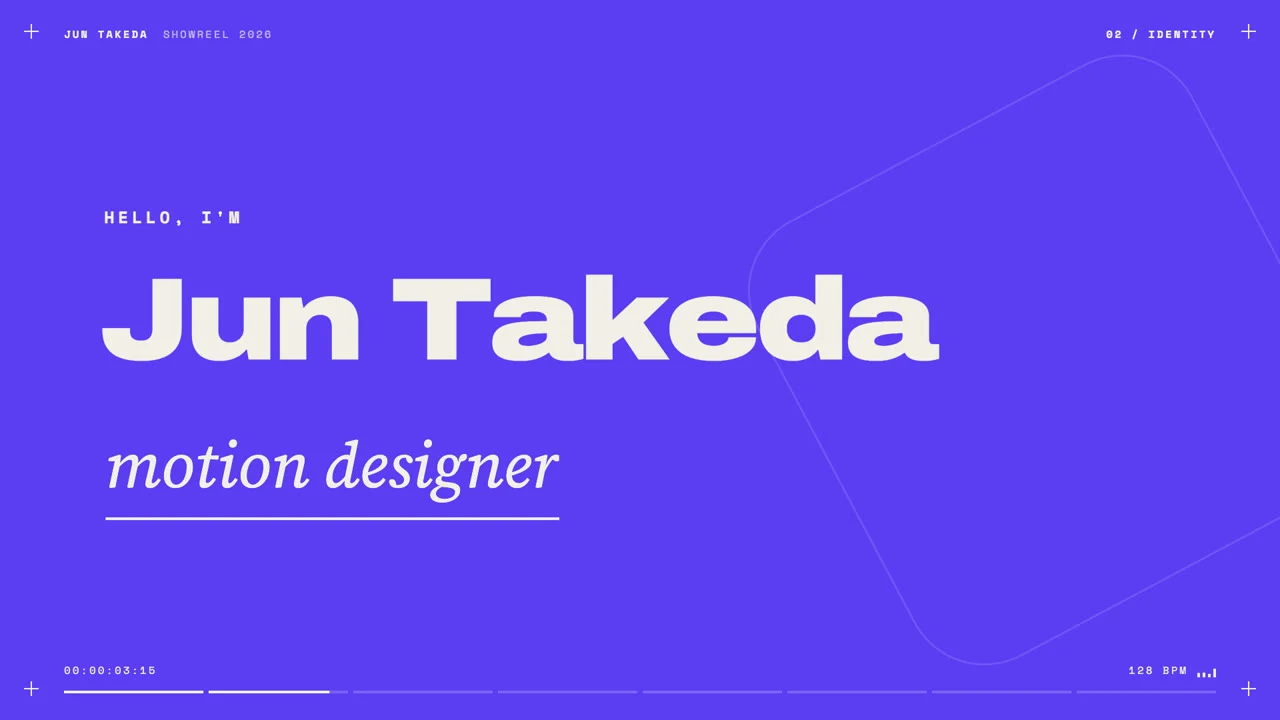
Switch to the forest theme, change the name to Jun Takeda and render it in 4K.
Use my brand color across the output.
Before you start
| You provide |
|
|---|---|
| Dependencies |
|
| External costs | No external service cost |
| Last updated | v1.1.4 · |
No additional scope beyond the supplied workflow.



























































































