Your prompt
Replace the brackets with your own content; leave optional ones out.
/data-flow-funnel
Company or team name = 〔Company or team name — your company or team — max 20 chars〕
Report period = 〔Report period — report period — max 24 chars — optional〕
Title = 〔Title — what is measured, over what period — max 44 chars〕
Name of the overall rate = 〔Name of the overall rate — name of the end-to-end rate — max 20 chars〕
One-line takeaway = 〔One-line takeaway — your one-sentence conclusion — max 60 chars〕
Source note = 〔Source note — where the numbers come from — max 72 chars — optional〕
Color = 〔Color — dark amber (graphite, amber) / dark blue (ink, cobalt) / light (paper, cobalt) — optional〕
Brand color = 〔Brand color — #RRGGBB — optional〕
Video shape = 〔Video shape — landscape 16:9 (YouTube, screens) / vertical 9:16 (Reels, Shorts, TikTok) / square 1:1 / 4:5 (Instagram feed) — optional〕
The stages (3-5) = 〔The stages (3-5) — 3-5 stages in order: name and count〕
Video size = 〔Video size — 1080p / 4K — optional〕
Not sure? Say: show me an example first
Example
/data-flow-funnel
Company or team name = Fernhollow
Report period = Q3 2026
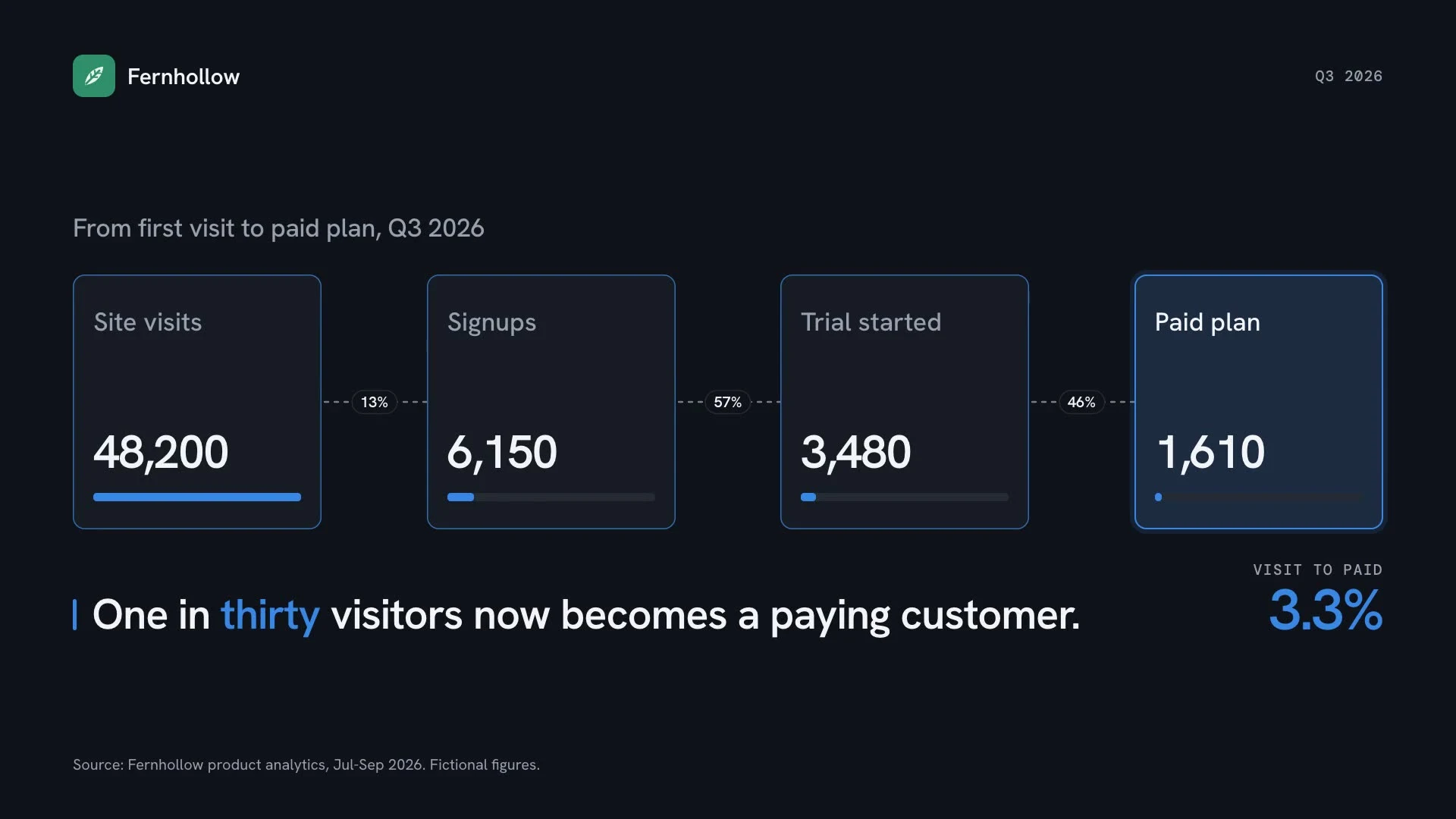
Title = From first visit to paid plan, Q3 2026
Name of the overall rate = Visit to paid
One-line takeaway = One in [[thirty]] visitors now becomes a paying customer.
Source note = Source: Fernhollow product analytics, Jul-Sep 2026. Fictional figures.
Color = ink-cobalt
Brand color = #1E3A8A
Video shape = 16:9
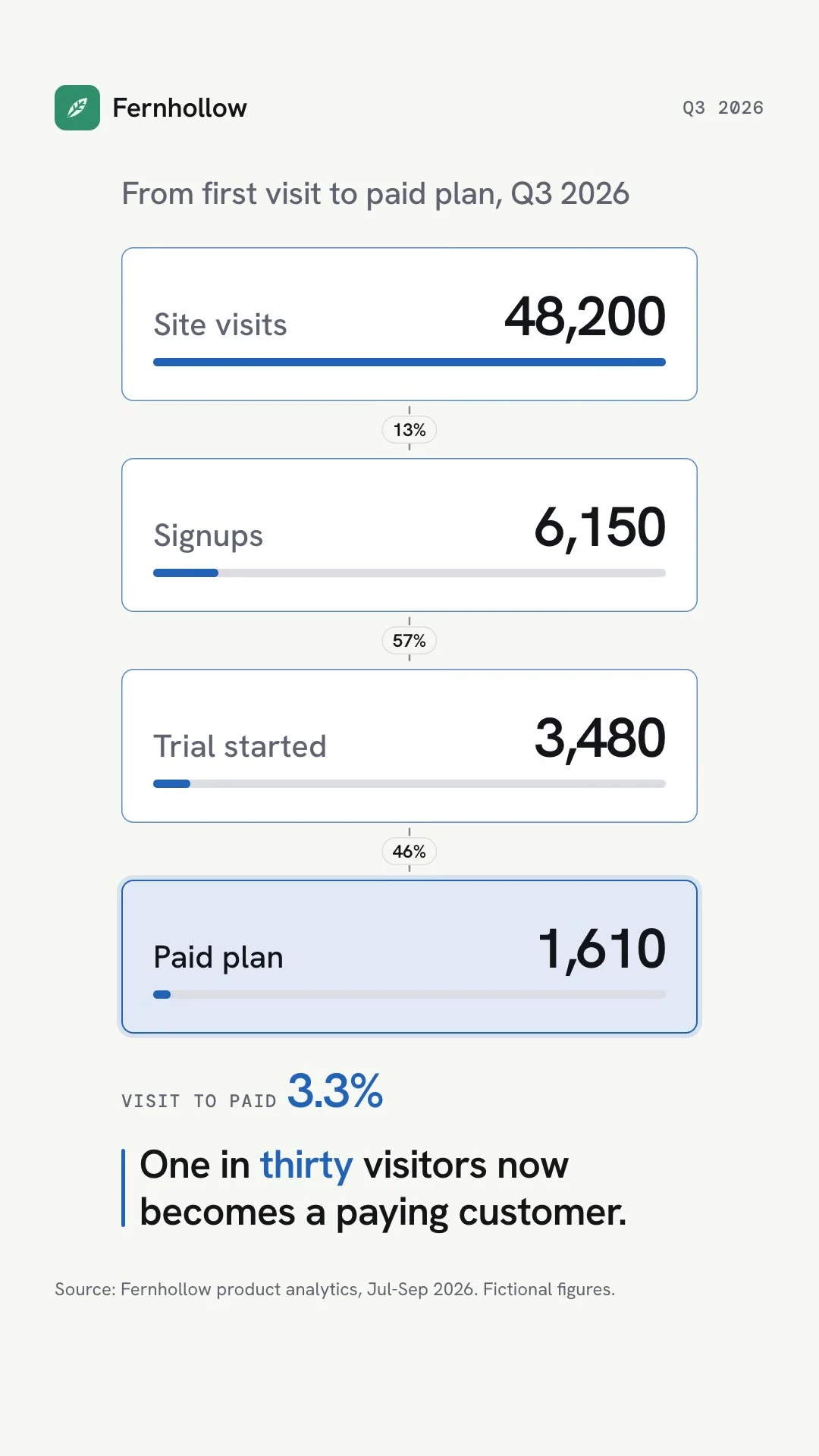
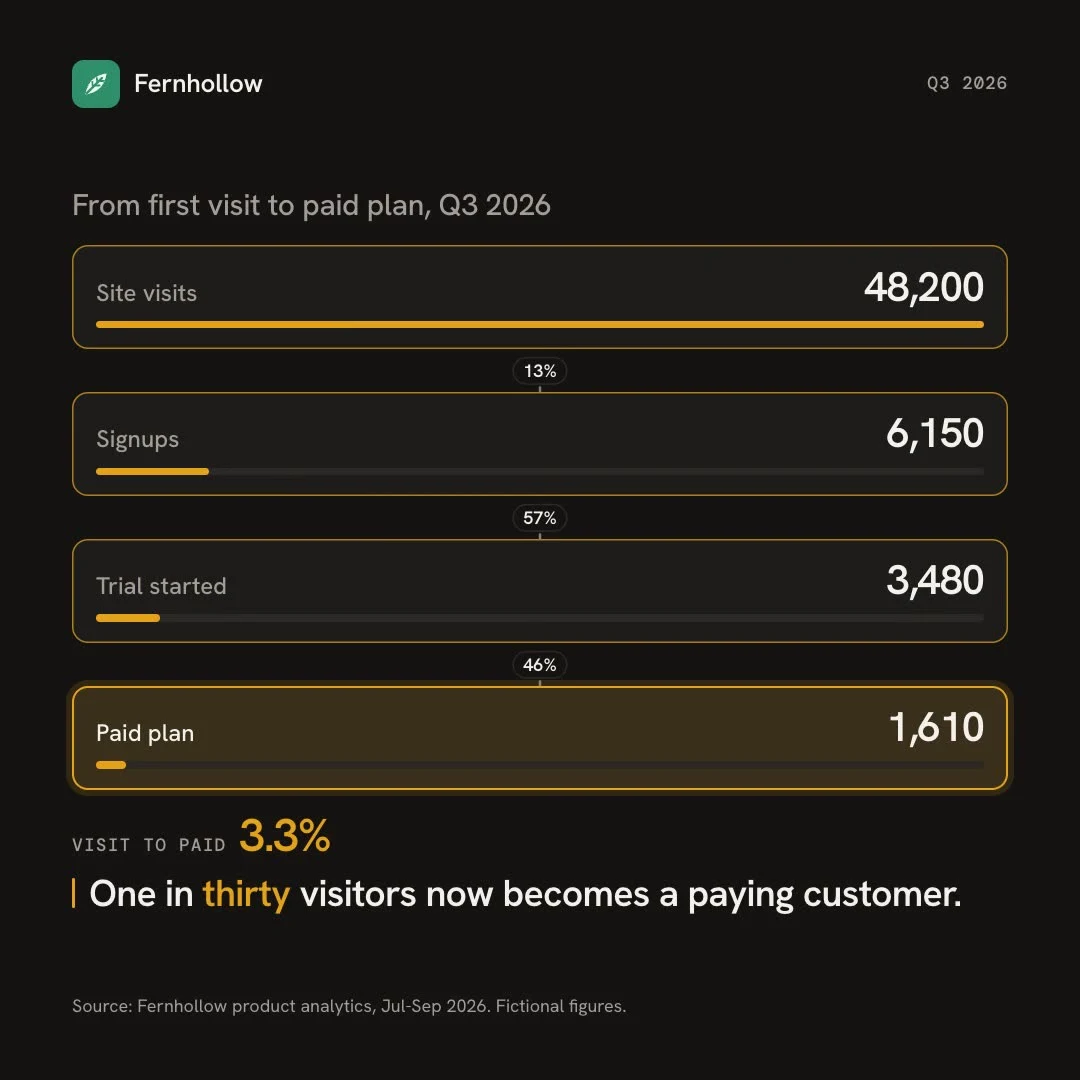
The stages (3-5) = Site visits 48,200 > Signups 6,150 > Trial started 3,480 > Paid plan 1,610
Video size = 4k
Flow Funnel
An 8-second clip for a conversion funnel: three to five stages are linked by flowing dashed lines, a dot carries the flow from stage to stage, each node lights up and counts to its number, every link shows its step conversion and the end-to-end rate lands with your takeaway. Add your numbers, title, source note and logo, pick a palette or brand colour and render 16:9, 9:16, 1:1 or 4:5 in 4K.
How it works
- Install the skill · Install guides
- Run your request ·
/data-flow-funnel - Review the result
Review the workflow in SKILL.md and use the bundled commands below.
node -vnode scripts/check-setup.mjsnode scripts/create.mjs --out ./demonode scripts/render.mjs ./demo --output ./demo.mp4node scripts/create.mjs --out ./my-scene --data content.json --logo ./logo.svg --aspect 16:9 --theme ink-cobaltnode scripts/render.mjs ./my-scene --check
Workspace
references/defaults.jsonreferences/fill-in.jsonreferences/layout-rules.jsonreferences/project/index.htmlscripts/check-setup.mjsscripts/create.mjsscripts/hyperframes.mjsscripts/layout-guard.mjs
What you get
- An editable 8-second funnel clip in 16:9, 9:16, 1:1 and 4:5, each with its own layout; three to five stages from your numbers
- Step and end-to-end conversion rates computed from your data; your thousands separator, decimals and compact format applied to every count
- 4K MP4 by default (or 1080p), stills of any moment, three palettes plus any brand colour, a text-fit and layout check and a visual review checklist
Requirements
- Required · Node.js 22 or newer
- Required · Google Chrome, Chromium or Microsoft Edge
- Required · FFmpeg
- Optional · HyperFrames CLI (via npx)
Tips
Dashed links flow stage to stage, each step's conversion appearing as the flow arrives.
Make the same clip in 9:16 and 4:5 with the graphite-amber palette
Show the counts as compact numbers (92.4k)
Before you start
| You provide |
|
|---|---|
| Dependencies |
|
| External costs | No external service cost |
| Last updated | v1.0.2 · |
No additional scope beyond the supplied workflow.



























































































