Your prompt
Replace the brackets with your own content; leave optional ones out.
/ripple-drop-reveal
Brand name = 〔Brand name — your brand name — max 22 chars〕
Website = 〔Website — your website — max 28 chars — optional〕
Small line on top = 〔Small line on top — small line on top — max 24 chars — optional〕
New name = 〔New name — new name — max 28 chars〕
Sentence below = 〔Sentence below — one sentence — max 70 chars — optional〕
Color = 〔Color — blush (soft pink) / night pool (dark) / porcelain (cool white, teal) / travertine (warm stone) — optional〕
Brand color = 〔Brand color — #RRGGBB — optional〕
Video shape = 〔Video shape — landscape 16:9 (YouTube, screens) / vertical 9:16 (Reels, Shorts, TikTok) / 4:3 / vertical 3:4 (feed posts) — optional〕
Current version photo = 〔Current version photo — current photo〕
New version photo = 〔New version photo — new photo, same framing〕
Video size = 〔Video size — 1080p / 4K — optional〕
Not sure? Say: show me an example first
Example
/ripple-drop-reveal
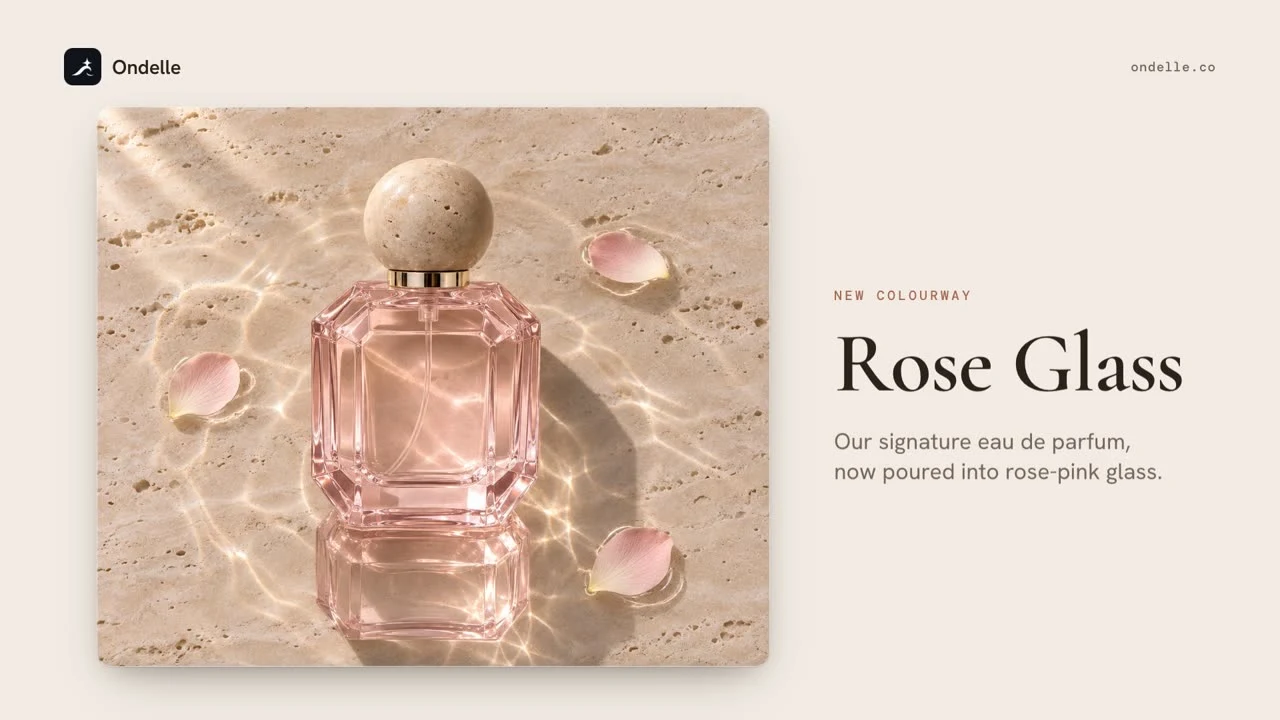
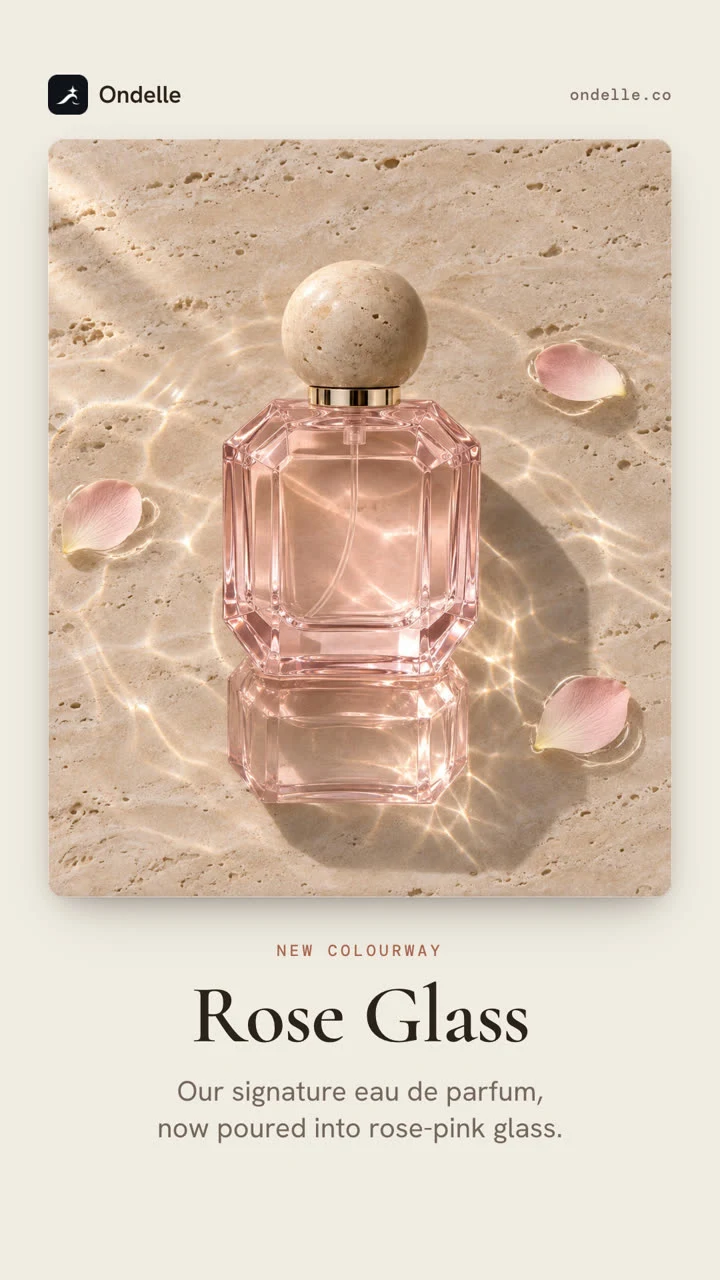
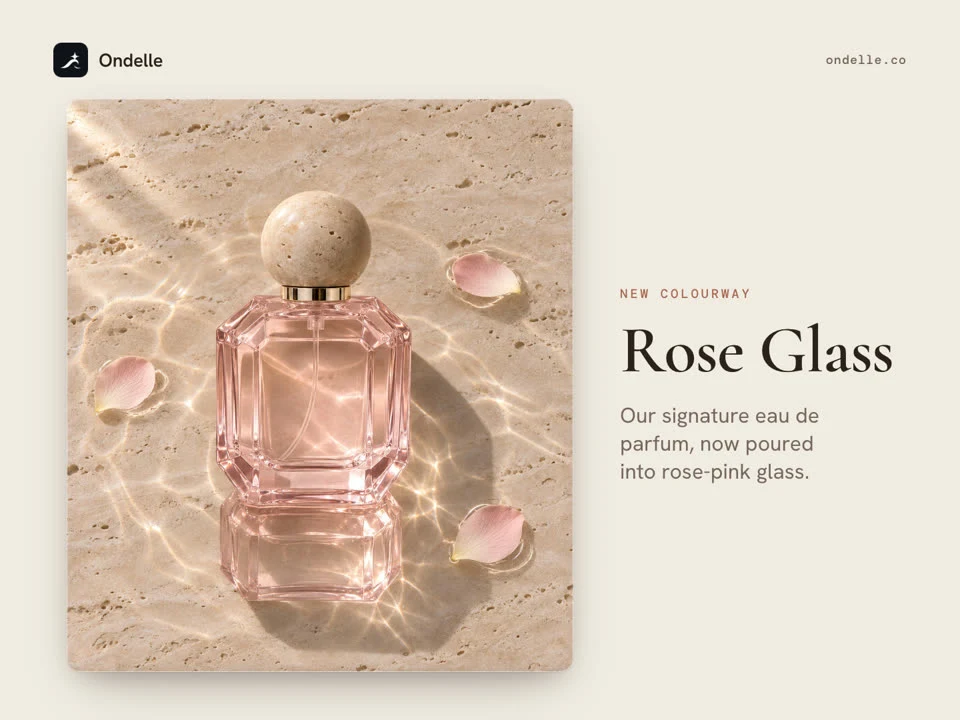
Brand name = Ondelle
Website = ondelle.co
Small line on top = New colourway
New name = Rose Glass
Sentence below = Our signature eau de parfum, now poured into rose-pink glass.
Color = travertine
Brand color = #1E3A8A
Video shape = 16:9
Current version photo = the sample current-version photo in the pack
New version photo = the sample new-version photo in the pack
Video size = 4k
Ripple Drop Reveal
A 10-second clip: a drop falls onto your product photo in still water, refracting rings with caustics and glints spread out, and behind the first wavefront the photo becomes your new version. The water calms, the photo glides aside and your headline floats up; change the photos, words or palette and render 16:9, 9:16, 4:3 or 3:4 in 4K locally.
How it works
- Install the skill · Install guides
- Run your request ·
/ripple-drop-reveal - Review the result
Review the workflow in SKILL.md and use the bundled commands below.
node -vnode scripts/check-setup.mjsnode scripts/create.mjs --out ./demonode scripts/render.mjs ./demo --output ./demo.mp4node scripts/studio.mjs --out .node scripts/create.mjs --out ./my-scene --brand brand/brand.json --data content.json --image photoA=./photoA.jpg --image photoB=./photoB.jpg --aspect 16:9 --theme travertine
Workspace
references/check.jsonreferences/defaults.jsonreferences/fill-in.jsonreferences/layout-rules.jsonreferences/studio.htmlreferences/project/index.htmlreferences/studio/shell.htmlscripts/check-output.mjs
What you get
- A 10-second 4K MP4 of the drop, the ripples and the reveal, in 16:9, 9:16, 4:3 or 3:4
- Four palettes (travertine, porcelain, blush, night pool) plus your brand colour for the small line
- An editable scene folder, a local Studio page and an automatic fit and layout check
Requirements
- Required · Node.js 22 or newer
- Required · Google Chrome, Chromium or Microsoft Edge
- Required · FFmpeg
Tips
A water drop lands on your product photo and the ripples sweep in the new version.
Make a 9:16 version in the blush palette for Stories
Use our two bottle photos and make the drop land on the right
Before you start
| You provide |
|
|---|---|
| Dependencies |
|
| External costs | No external service cost |
| Last updated | v1.0.1 · |
No additional scope beyond the supplied workflow.



























































































