Your prompt
Replace the brackets with your own content; leave optional ones out.
/slice-shutter-gallery
Brand name = 〔Brand name — your brand name — max 22 chars〕
Website = 〔Website — your website — max 28 chars — optional〕
Small line on top = 〔Small line on top — small line on top — max 28 chars — optional〕
Title of page 1 = 〔Title of page 1 — title 1 — max 18 chars〕
Title of page 2 = 〔Title of page 2 — title 2 — max 18 chars〕
Title of page 3 = 〔Title of page 3 — title 3 — max 18 chars〕
Title of page 4 = 〔Title of page 4 — title 4 — max 18 chars〕
Closing headline = 〔Closing headline — headline, 18-44 characters — max 44 chars〕
Sentence below = 〔Sentence below — one sentence — max 60 chars — optional〕
Color = 〔Color — camel (brown on camel) / cobalt (white on cobalt) / white (ink on warm white) / noir (white on near-black) — optional〕
Brand color = 〔Brand color — #RRGGBB — optional〕
Video shape = 〔Video shape — landscape 16:9 (YouTube, screens) / vertical 9:16 (Reels, Shorts, TikTok) / 4:3 / vertical 3:4 (feed posts) — optional〕
Photo 1 = 〔Photo 1 — photo 1〕
Photo 2 = 〔Photo 2 — photo 2〕
Photo 3 = 〔Photo 3 — photo 3〕
Photo 4 = 〔Photo 4 — photo 4〕
Video size = 〔Video size — 1080p / 4K — optional〕
Not sure? Say: show me an example first
Example
/slice-shutter-gallery
Brand name = Maren Atelier
Website = maren-atelier.com
Small line on top = Autumn 26 collection
Title of page 1 = The camel coat
Title of page 2 = Cobalt knit
Title of page 3 = Linen, sunlit
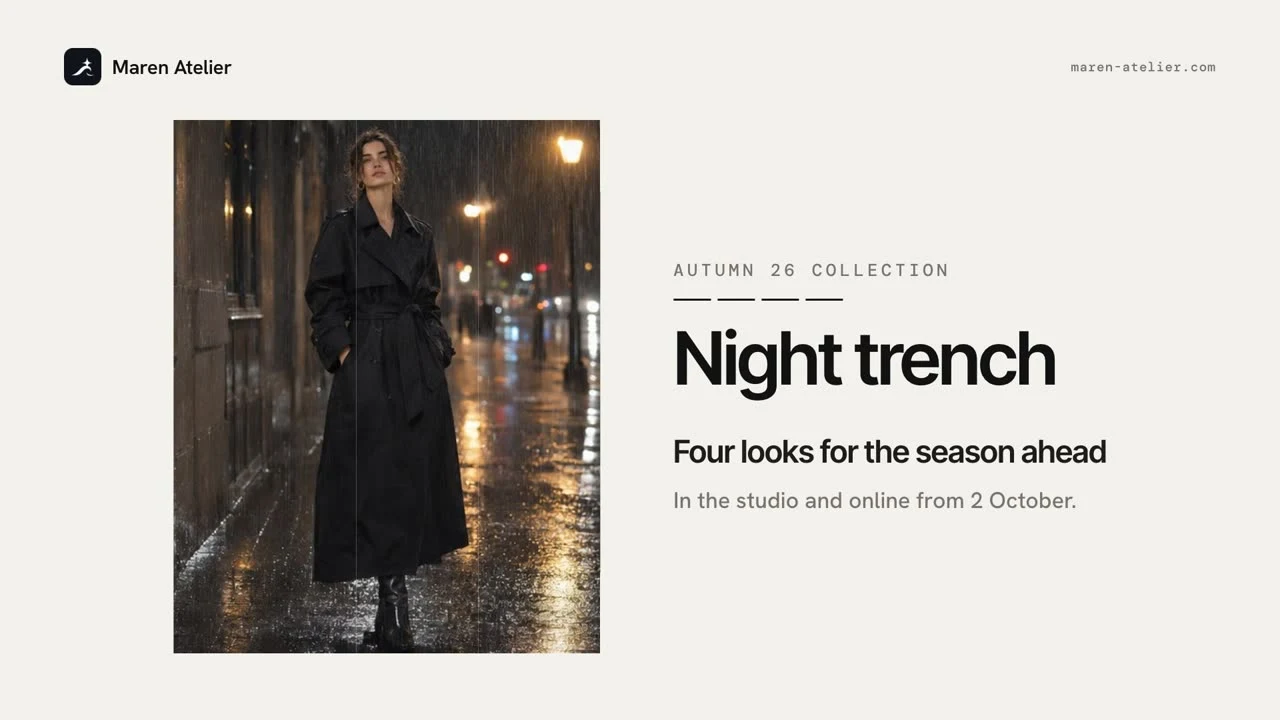
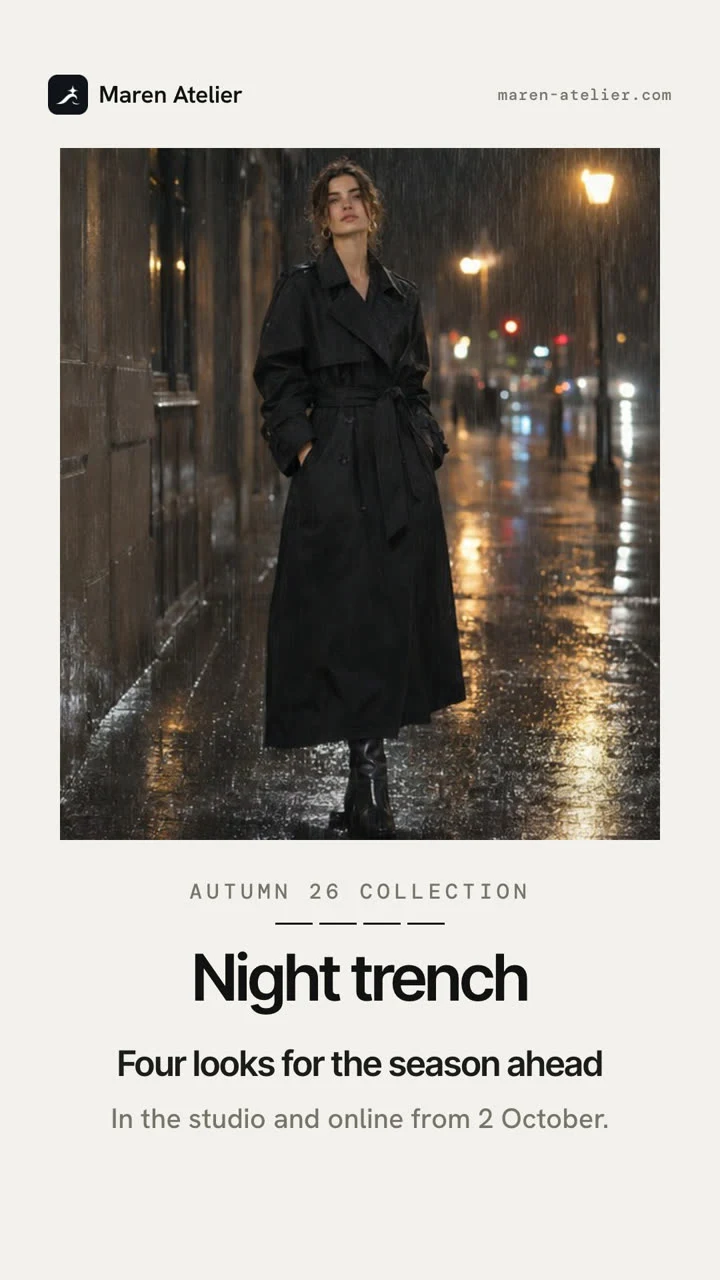
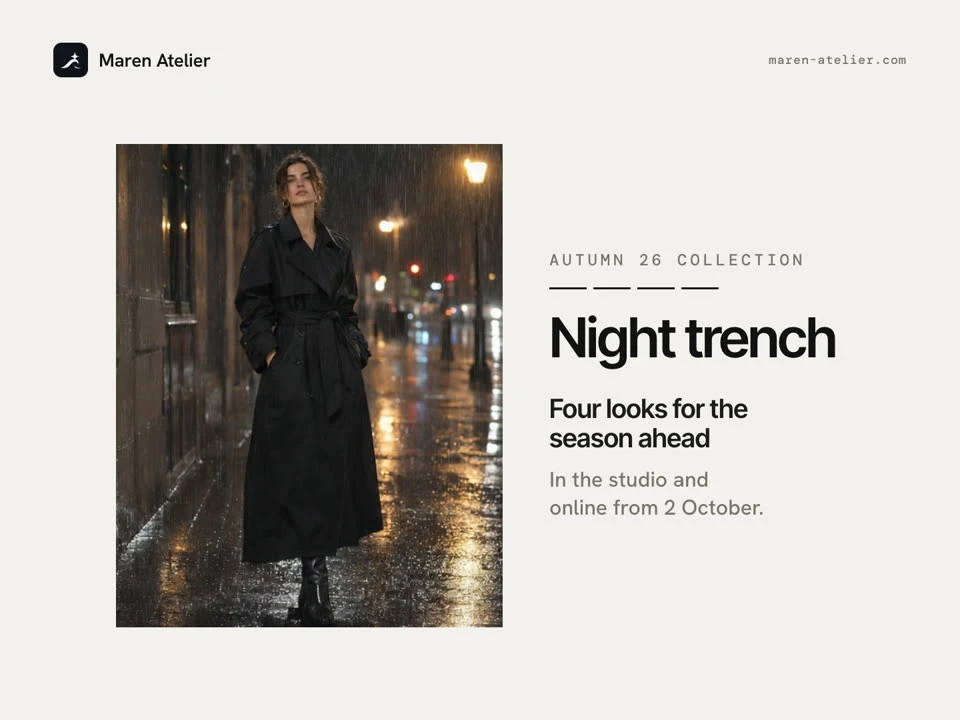
Title of page 4 = Night trench
Closing headline = Four looks for the season ahead
Sentence below = In the studio and online from 2 October.
Color = gallery-white
Brand color = #1E3A8A
Video shape = 16:9
Photo 1 = sample look 1 in the pack
Photo 2 = sample look 2 in the pack
Photo 3 = sample look 3 in the pack
Photo 4 = sample look 4 in the pack
Video size = 4k
Slice Shutter Gallery
A 12-second, four-page clip: your first photo slides in as seven slices, then every page the picture is cut into slices that slide out up and down in turn while the next settles and its title wipes in; progress ticks fill and a headline lands on the last page. Change the photos, titles, palette or brand colour and render 16:9, 9:16, 4:3 or 3:4 in 4K locally.
How it works
- Install the skill · Install guides
- Run your request ·
/slice-shutter-gallery - Review the result
Review the workflow in SKILL.md and use the bundled commands below.
node -vnode scripts/check-setup.mjsnode scripts/create.mjs --out ./demonode scripts/render.mjs ./demo --output ./demo.mp4node scripts/studio.mjs --out .node scripts/create.mjs --out ./my-scene --brand brand/brand.json --data content.json --image look1=./look1.jpg --image look2=./look2.jpg --image look3=./look3.jpg --image look4=./look4.jpg --aspect 16:9 --theme gallery-white
Workspace
references/check.jsonreferences/defaults.jsonreferences/fill-in.jsonreferences/layout-rules.jsonreferences/studio.htmlreferences/project/index.htmlreferences/studio/shell.htmlscripts/check-output.mjs
What you get
- A 12-second 4K MP4 of the four-page slice gallery, in 16:9, 9:16, 4:3 or 3:4
- Four palettes (gallery white, noir, camel, cobalt) plus your brand colour for the ticks
- An editable scene folder, a local Studio page, an automatic fit and layout check, and a multi-page promo preview
Requirements
- Required · Node.js 22 or newer
- Required · Google Chrome, Chromium or Microsoft Edge
- Required · FFmpeg
Tips
Four photos, each one cut into slices that slide away to reveal the next.
Make a 9:16 version in noir for Reels
Swap in four photos of our new flat and the titles Living, Kitchen, Bedroom, Terrace
Before you start
| You provide |
|
|---|---|
| Dependencies |
|
| External costs | No external service cost |
| Last updated | v1.0.1 · |
No additional scope beyond the supplied workflow.



























































































